Before a Staff Laptop Gets Hacked, Set a Standard for Discord Moderator Accounts
A seven item account checklist for everyone who holds moderator or admin powers, the reason behind each item, and the first half hour if one account is taken anyway.

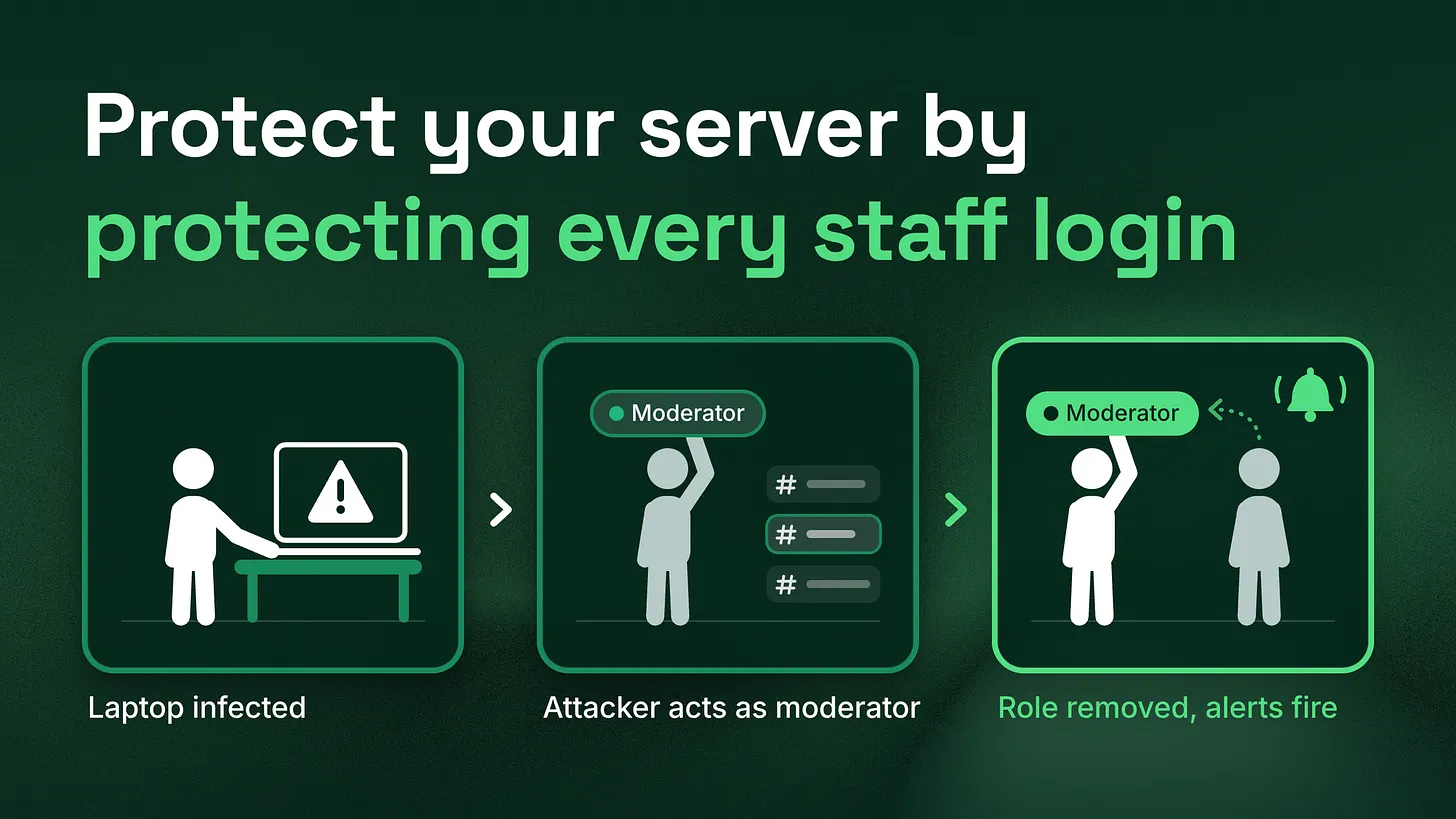
Knowing how to secure Discord moderator accounts protects a server more than any bot, because a stolen staff login can do everything that person can do. Write a standard every staff member meets before getting powers: authenticator app, the server's 2FA rule, no phone backup, a separate owner account, few admins, monthly device checks, no staff DMs. Then plan the half hour after a takeover.
Secure the people before the settings. Every moderator and admin account in your server should meet a short written standard before it receives any powers, and the team should agree in advance what happens in the half hour after one of those accounts is taken anyway. The standard below has seven items. None of them needs a security engineer, and each takes a few minutes per person.
A stolen staff login can do everything its owner can
Discord hands powers to accounts, not to people. When someone signs in as your moderator, Discord sees your moderator. Whatever that role allows, the intruder can now do: delete channels, ban members, change who holds which role, pin a fake claim link in your announcements, or create a webhook (an automated posting address tied to a channel) that keeps posting after you remove the account. Large incidents often start in exactly this place. On 29 October 2026, an attacker moved about $6.36 billion out of a major crypto exchange's wallets, most of it in roughly 20 minutes, according to TRM Labs (2026). Help Net Security reported in November 2026 that the exchange's first explanation pointed to one DevOps engineer's compromised laptop. Your server is not an exchange, and nobody moves billions through a moderator role. The pattern still carries over: one trusted person's device becomes the way in, and everything behind it does what that person's access allows. Many community teams spend real effort on AutoMod, verification gates and anti-raid bots, then leave the staff accounts to each person's own habits. That is the gap to close first. A member with no powers can post spam. A staff account with powers can take the server apart, and it does so with the same permissions your team trusts every day, so nothing looks wrong until the damage is done. I have led community and moderation teams. I recommend handing the checklist below to every new moderator before their first shift with powers, and asking the existing team to meet it within a week.
Seven items every staff account meets before it gets powers
Treat the list as a condition of the role. Nobody receives a moderator or admin role until their account meets all seven, and anyone who falls out of line loses the role until they are back in it. Two sources sit behind most of it: Discord's own Safety Center and Help Center, checked in November 2026, and the Discord guide from the Security Alliance (SEAL), a security nonprofit whose guide was last updated in October 2026.
| # | The item | What it means in practice | Why it is there |
|---|---|---|---|
| 1 | Authenticator app on every staff account | A six digit code from an app at every new sign-in | A leaked password alone stops being enough to get in |
| 2 | The server's 2FA requirement switched on | One setting in Safety Setup, turned on by the owner | Staff without 2FA can no longer take admin actions |
| 3 | No phone number as the backup | Remove the number, keep backup codes offline | A phone number can be moved to a stranger's SIM card |
| 4 | A separate owner account | Used only for owner actions, from a clean device | Ownership survives if a daily account falls |
| 5 | Administrator held by two or three people | Everyone else gets only what their job needs | Fewer accounts can do the worst things |
| 6 | Monthly device and app check | Review Devices and Authorized Apps in user settings | Old sessions and forgotten apps stay open otherwise |
| 7 | Staff never message members first | Said publicly and backed by AutoMod | Members can tell a fake staff message on sight |
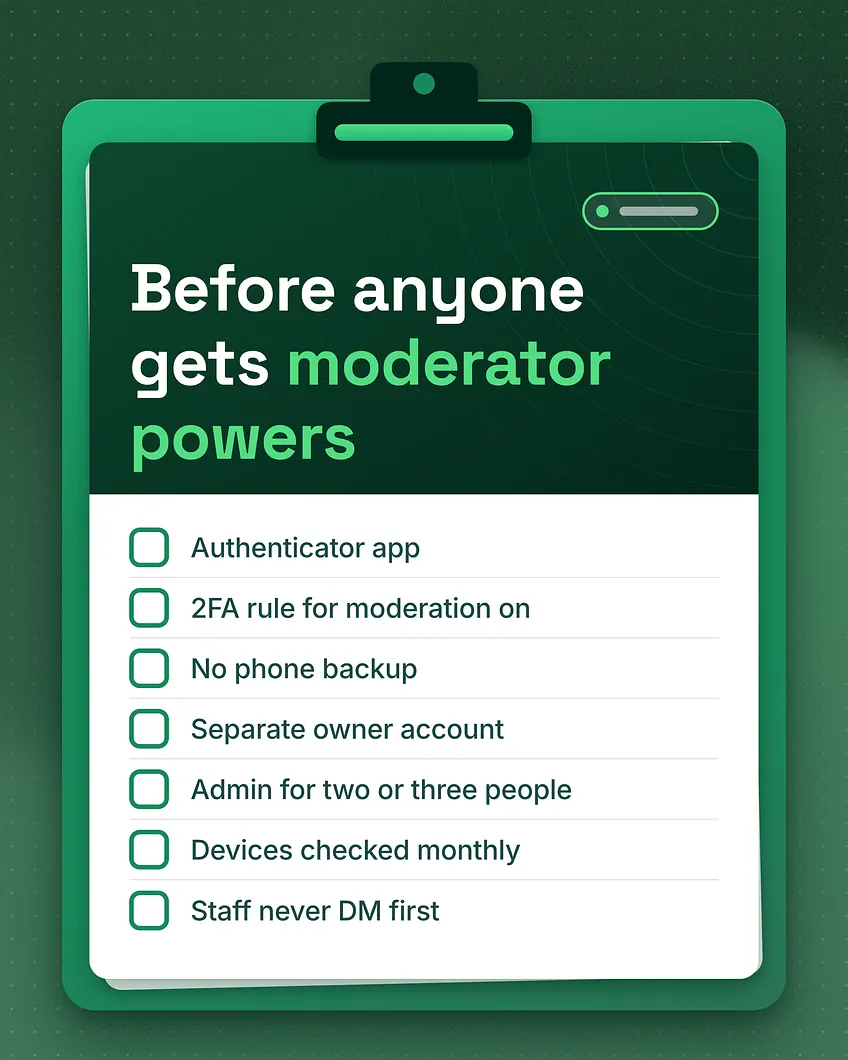 Items one and two belong together. Two-factor authentication, usually shortened to 2FA, means a second code on top of the password. An authenticator app generates that code on the person's phone, so a password copied from a leak or typed into a fake login page is no longer enough on its own. Once every staff member has it, the owner turns on the server's requirement. Discord's Safety Center (Four steps to a super safe server) explains that this setting requires every moderator and administrator to have 2FA on their own account before they can take administrative actions such as deleting messages, and that the owner has to enable 2FA on their own account before the option can be switched on. Turn it on after the team has set up their apps, so nobody loses their tools mid-shift.
Item three closes the side door. A phone number added as a backup sign-in method can be taken over by anyone who persuades a mobile carrier to move it to a new SIM card, and a code sent by text then goes to them. The SEAL guide recommends removing the phone number from staff accounts, turning off SMS backup, and storing the backup codes offline. Paper in a drawer is fine. A screenshot in the same phone's photo roll is not.
Item four protects the one thing you cannot rebuild quickly. The SEAL guide describes a separate "cold" owner account: a fresh email address with its own 2FA, set up on a clean device, holding ownership and used only for owner actions such as adding bots or changing key settings. The person who runs the server day to day uses a second account with an admin role. If that daily account is ever taken, the owner account still sits above it in the role list and can strip its powers.
Item five limits how much one stolen login can reach. The SEAL guide suggests giving Administrator to two or three trusted people at most, giving bots only the permissions they need, and watching five permissions closely: Administrator, Manage Webhooks, Manage Server, Manage Roles and Manage Channels. A moderator who only needs to time people out and delete messages should hold exactly that.
Item six clears out what people forget. Every laptop someone logged in from last year, and every third party app they authorized once and never used again, is an open session tied to a staff account. In user settings,
Devices lists where the account is signed in and offers a way to log out of all known devices, and Authorized Apps lists the apps connected to it. A monthly check takes two minutes. Put it on the moderation calendar so it does not depend on memory.
Item seven protects members as much as the server. When staff never send the first message, any "Support Team" account that opens a conversation is fake by definition, and members can be told so in one sentence. The SEAL guide also suggests an AutoMod rule that blocks words such as Support, Bot, Admin, Tech and Helpdesk in member names, which keeps the most obvious copycat names out of the member list.
-
	-
Two-factor stops a stolen password, not an infected computer
The table above is weighted toward sign-in, and it is worth being clear about where sign-in protection ends. 2FA checks the person at the door. If malware is already running on a laptop that is signed in to Discord, the intruder may be able to act inside that session without ever seeing the door. A compromised laptop is the kind of entry the exchange described, and that case is why items four, five and six sit beside the 2FA items rather than behind them. A separate owner account keeps ownership out of reach of the daily laptop. Fewer admins means fewer laptops that matter. Monthly device checks shorten the life of a forgotten session. Speed of noticing matters as much. Discord's Help Center describes Activity Alerts and Security Actions: the alerts flag unusual activity such as abnormal numbers of joins or DMs, and they reach members holding Administrator, Kick Members, Timeout Members, Ban Members or Manage Server. The SEAL guide adds a habit worth copying: send audit log events to a private staff channel, so an admin action at three in the morning is visible to whoever is awake. None of this makes a server impossible to take over. The aim is narrower and more realistic: one stolen login should do less, for less time, and the team should know within minutes rather than hours.
If a staff account is taken anyway
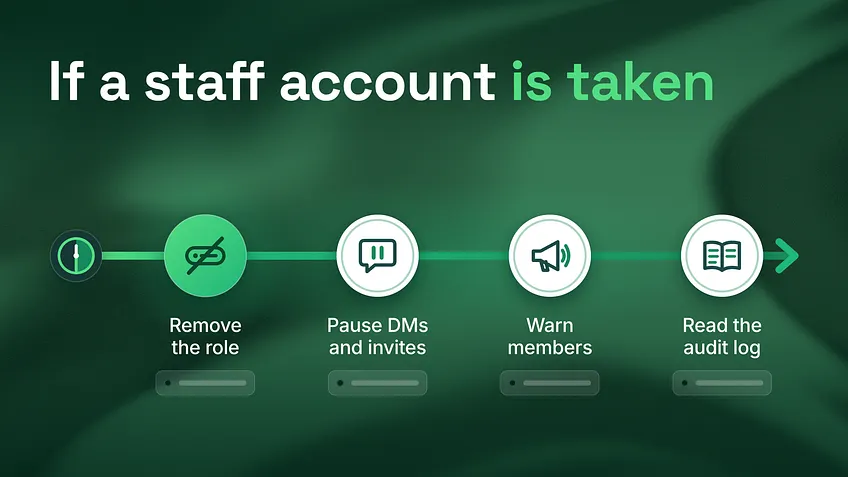
Write these steps down now and put a name beside each one. During a takeover, nobody should have to stop and agree who does what. First half hour after a staff account is taken
Remove the role. Someone whose highest role sits above the taken account removes its role, or the owner account does. A member can only manage roles below their own highest role, so this person has to exist before the day you need them.
Pause DMs and invites. Use Discord's Security Actions to pause invites and pause DMs between members who are not friends, and choose how long the pause lasts. This stops the account, and any copycats, from messaging members while you clean up.
Warn members once, plainly. From a trusted account, post in announcements that a staff account was taken, name it, and repeat that staff never message first.
Read the audit log. Look for channels deleted, roles changed, bots added and webhooks created by that account, then undo them and delete every webhook it made.
 After the half hour, the account owner changes their password, uses
Log Out All Known Devices, checks Authorized Apps, and scans the device the account was used on. The role comes back only when the account meets all seven items again. If the account cannot be recovered, it stays out, and the person rejoins on a fresh account that meets the standard from the start.
This checklist is one part of a server's moderation and safety setup. The other parts are the role and permission plan that decides how far any single account can reach, the AutoMod rules and verification that keep bad actors out of the member list, the logging that shows who did what, and the escalation path that tells each moderator who to call when something looks wrong. A strong staff standard with a loose permission plan still leaves too much within reach of one login.
What your checklist does not cover yet
You now have the account side: seven items and a half hour plan. The reach side comes next. Who Should Have Admin Permissions in a Discord Server walks through deciding how much each role should hold, and How to Stop Discord Impersonation Scams Before They Reach Your Members goes deeper on the fake staff messages that item seven guards against. To see where your own server stands across all of it, the free community analysis tells you what's working, what isn't, and what to fix first, delivered within 24 hours. And if you would like the whole safety side built for you, communitymanagementpro.com covers moderation and safety setup: AutoMod rules and spam filters, anti-raid and verification, a mod team workflow with an escalation matrix, and logging and alert channels. *A server tends to be only as safe as the least careful account holding real powers in it, and that account is worth checking this week. *danieljeong.org