Rules for Employees in a Discord Community: The Five Part Staff Code
Staff who join a customer community with no onboarding of their own end up treating valuable members like survey respondents. A visible staff role, a separate way in and a one page code fix it.

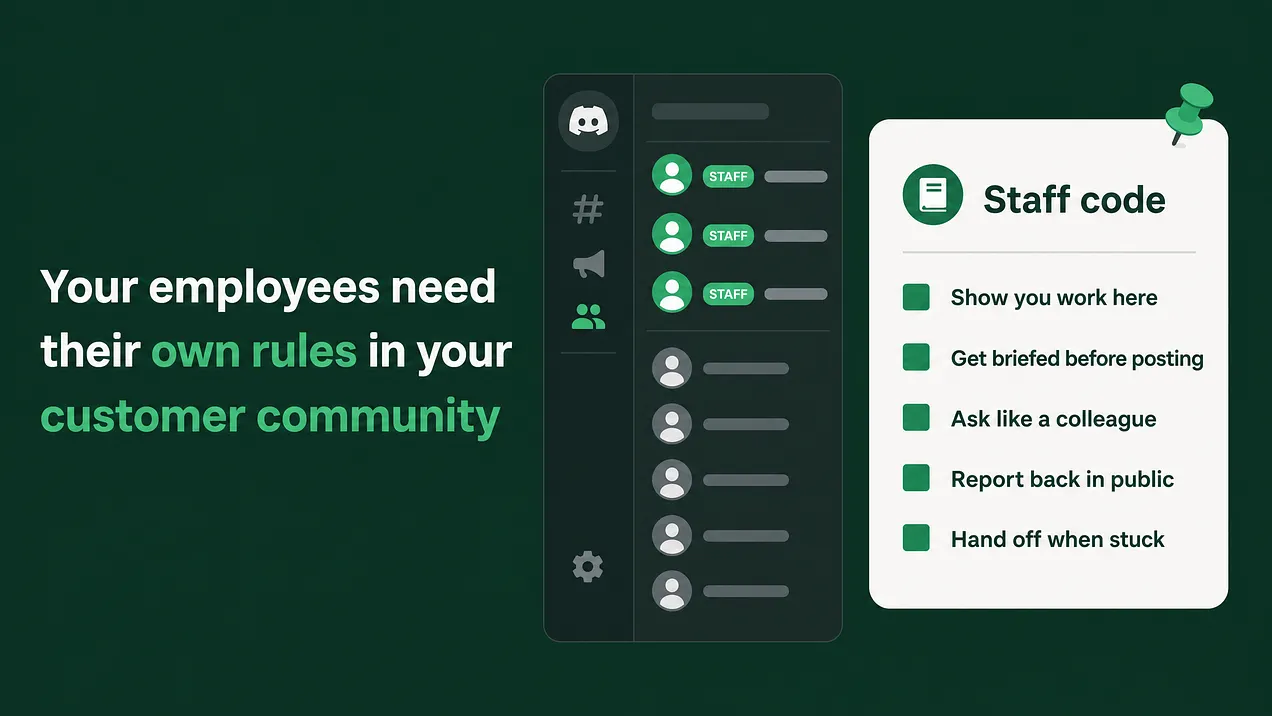
The rules for employees in a Discord community come down to one move: onboard staff as their own member group. Give them a visible staff role, a separate way in with a short briefing, and a one page code on asking for feedback, reporting back in public, what never to post, and when to hand off to the community team.
The short answer
Employees who post in your customer Discord need their own onboarding, the same way new customers do. Everything below is what that onboarding contains. Most companies build a careful welcome for customers and nothing at all for staff. Anyone at the company with the invite link can join, post in any channel, and speak with the company's name attached. Nobody has told them how, and nobody can see that they work there. The version that works fits on one page. I name it the Staff Code, and it has five parts.
| Part | What it means in plain words |
|---|---|
| 1. Show you work here | Every employee wears a visible staff role and a profile that says what they do |
| 2. Come in through the staff door | Staff join through their own entry path and a ten minute briefing, never the customer welcome |
| 3. Ask like a colleague | Requests for feedback follow a template and go through the community team first |
| 4. Report back in public | Every ask ends with a visible answer about what happened to the feedback |
| 5. Know the lines and hand off | A short list of things staff never do, and a clear route for anything difficult |
Each part below gives the behaviour, one example of doing it well and one of doing it badly. A copyable version of the whole code sits near the end, ready to paste into a staff only channel.
Why staff behaviour is the biggest risk to member trust
The members worth the most to a product team are rarely the loudest. They run your product inside large accounts. They answer other members' questions for free, and they file the detailed bug reports that save your engineers a week of guessing. They joined your server because somebody told them they would get closer to the people who build the product. That promise is the reason they give you their time. Now watch how that promise meets a typical staff post. Someone from product joins, posts a survey link with a small reward attached, and asks for five minutes. To the person posting, this is efficient research. To a member who has spent two years helping your other customers, it says their time is worth a voucher and their role is to fill in forms. They rarely complain. They go quiet. Quiet from your best members is an expensive signal because it arrives late and looks like nothing on any dashboard. Two other problems make it worse. Members cannot tell who works at the company. A staff member posting under a personal handle looks like any other member. Their useful answer gets skimmed past, or their casual opinion gets screenshotted and passed around as an official promise. The etiquette document does not help. Most companies have one. It lives in an internal wiki, nobody is asked to agree to it, and nothing happens when it is ignored, so in practice it does not exist.
Rules change staff behaviour when they sit on the way in and come attached to a role that can be taken away.
That is what the Staff Code does. Each part fixes one of the failures above.
Part 1: Show you work here
The behaviour. Every employee in the server holds a Staff role, and that role is visible at a glance. In the role settings, turn on Display role members separately from online members so staff appear as their own group near the top of the member list. Give the role a distinct colour so staff names stand out in chat, and add a role icon if your server has that feature unlocked.
A role tells members someone works here. It does not tell them what that person can help with. So add a profile standard of two lines:
- Server nickname in the format
First name | Team, for exampleSam | Billing. - One line in their About Me saying what they work on and what members can ask them about. Keep the permissions on this role modest. A staff role signals identity. It should not come with moderation powers, the ability to mention everyone, or access to member spaces nobody invited them into. Moderation stays with the community team, and the server rules apply to staff exactly as they apply to members.
Do:
Sam | Billingappears under Staff in the member list and answers a thread about invoice exports with "I own exports, so this one is mine. Here is the workaround while we look at it."Don't: An engineer joins under a personal gaming handle, writes "yeah, we're dropping that feature" in a busy thread, and the screenshot circulates as the company's position for a month.
Part 2: Come in through the staff door
The behaviour. Staff never pass through the customer welcome. It was written for customers and teaches staff nothing they need. They get their own entry path with two pieces.
A verified way in. Discord's built in Server Onboarding lets you ask new arrivals a question and hand out a role based on the answer. Add one question, Do you work at [company]?, and have the yes answer grant a Staff pending role. That role sees exactly one channel, #staff-start-here, and nothing else. Anyone can click yes, so the community team checks the name against the company directory before swapping Staff pending for Staff. If you already run a bot that verifies work email addresses, use it for this step instead.
A ten minute briefing. #staff-start-here holds the Staff Code and a short briefing that covers four things: who the members are and why they joined, what the company has promised them, the never list, and who on the community team takes a handoff. The new staff member reads it and reacts to confirm they agree. Only then do they get the full role. That reaction is the sign off, and it leaves a record of who agreed to what.
Existing staff go through the same door. Announce internally that everyone needs to re-enter through the staff path by a set date, remove the old access on that date, and treat it as a one time migration.
| What it looks like | |
|---|---|
| Do | A new designer answers the onboarding question, lands in #staff-start-here, reads the code, reacts to agree, and posts under the staff role the next morning knowing who to turn to when a thread gets hard. |
| Don't | A new designer gets the invite link in a company chat, walks through the customer welcome, picks the roles meant for customers, and posts their first question in the general channel as if they were a user. |
Part 3: Ask like a colleague
This is the part product teams feel most, and it is where most of the damage happens. The rule has two halves.
Product teams do not post research asks cold. Any request for feedback, user conversations, beta testers or survey answers goes through the community team's intake first. That can be a short form or a staff only #research-requests channel. The community team knows which members were asked last week, which ones are tired of being asked, and which ones would love this exact topic. They choose the audience and the timing, then post the ask or approve yours.
The ask follows a template. Here is how the two kinds of ask compare, line by line.
| Element | Transactional ask | Colleague ask |
|---|---|---|
| Who is asking | "Hi all!" from a name nobody knows | Name, team, and what they are building |
| Why these members | Not stated | What this group knows that the team does not |
| What is asked | Fill in the survey | One specific question, or a 20 minute conversation |
| What members get | A small reward for completing it | A direct line to the team and credit when it ships |
| What happens next | Nothing visible | A date when they will hear what the team decided |
A colleague ask, written out, looks like this:
Hi, I'm Sam from the Billing team. We're rebuilding invoice exports, and the people in this channel run exports every month for large teams, which we don't do ourselves.

Could you spare 20 minutes in the next two weeks to walk me through how you do it today? I'll post what we learned and what we're changing in this thread by the end of the month.

Reply here or react with a raised hand and the community team will find a time.
When you want to thank people, choose something that brings them closer to the team, like early access or a working session with the engineers who built the feature. Paying for answers tells your best members they are a panel.
Part 4: Report back in public
The behaviour. Every ask gets a public follow up in the same thread or channel, by the date promised in the ask. It says what the team heard, what it is changing, and what it is not changing and why. Members who helped get named, if they agreed to that. A "not now" still closes the loop. Members handle a no far better than silence, because a no proves someone read what they wrote. The community team keeps a simple tracker of open asks with four columns: the ask, the staff owner, the promised date, and whether the follow up was posted. They review it once a week and nudge any owner whose date has passed.
Do: "Thank you to everyone who walked us through exports. Two things changed because of you: exports now keep your column order, and large exports arrive by email. Scheduled exports are not in this release. We heard you, and we'll post here when that changes."
Don't: The research closes, the feature ships months later, and the release notes never mention the members who shaped it. Next time the team asks, fewer people answer.
Part 5: Know the lines and hand off
The never list. Four things staff do not do in a customer community, whatever their seniority:
- No cold direct messages. Staff only message a member privately after that member asked for it. An unprompted message from a staff account looks exactly like the impersonation scams members are warned about.
- No roadmap dates or promises. Staff can say what they are working on. They never say when it ships, and they never promise a feature to a member.
- No arguing in public. Disagree once, politely, with a reason. If the member pushes back, hand the thread to the community team instead of going another round.
- No quoting members outside the server without asking them first.
The handoff. Staff are not expected to handle everything. They are expected to know when to stop and who takes over. Keep a staff only
#staff-handoffchannel where staff post a link to the thread and one line of context. The community team replies there within one working day.
| When this happens | Hand it to |
|---|---|
| A member is angry or upset | The community team, by tagging them in the thread and stepping back |
| A bug that touches money, data or access | Support, through the normal ticket route, with the thread linked |
| A question about pricing, contracts or someone's account | The account owner, routed by the community team |
| A thread turning into a pile on | The moderators, through #staff-handoff |
Enforcing it gently
A code with no consequence is the etiquette page again. The consequence should be proportionate and predictable, and it should never look like a public telling off.
- First miss: a private note from the community team quoting the line of the code and suggesting what to do instead.
- Second miss of the same kind: a short conversation and a pointer back to the briefing.
- Repeated misses: the
Staffrole comes off. The person drops back toStaff pending, which only sees the start channel, and gets the role back once they redo the briefing. Keep all of it private, and involve a manager only if the pattern continues. Most people who break the code never read it, and the first note is usually the end of it.
The Staff Code, ready to paste
Pin this in #staff-start-here and ask every employee to react before they get the full role.
STAFF CODE FOR OUR CUSTOMER COMMUNITY

1. Show you work here
Keep the Staff role. Set your server nickname to "First name | Team". Add one line to your About Me saying what you work on and what members can ask you.

2. Come in through the staff door
Read this code and the briefing before you post anywhere. React below to confirm you agree. The full Staff role follows.

3. Ask like a colleague
Every request for feedback, user conversations, testers or surveys goes to #research-requests first. The community team picks the members and the timing. Say who you are, why these members, what you are asking, and when they will hear back.

4. Report back in public
Post a follow up in the same thread by the date you promised. Say what you heard, what is changing, and what is not changing and why. A "not now" still counts.

5. Know the lines and hand off
Never message a member privately unless they asked first.
Never give a ship date or promise a feature.
Disagree once, politely. Then hand it over.
Never quote a member outside the server without asking.
Angry member, serious bug, pricing or account question, or a pile on: post the link in #staff-handoff and step back.

Server rules apply to staff exactly as they apply to members. Repeated misses mean the Staff role comes off until you redo the briefing.
Where this sits in the bigger picture
The Staff Code is one piece of a larger system: role and permission architecture plus escalation paths. That system covers the staff roles and the member roles, who can post in which channels, the escalation map that decides who handles what, and the moderation rules that apply to staff as well as members. This article gives you everything needed to install the staff layer on its own. The other layers are separate builds, and a community with many staff and many member types eventually needs all of them written down. Your best customers can tell within a few messages whether the people from your company came to talk with them or to collect from them. Staff who arrive knowing the difference are the reason those customers stay. More at danieljeong.org.