Open vs Invite-Only Discord Community: Choose Your Way In and Write the Access Policy
A comparison of open, invite-only and application entry, what each costs in staff time every week, the signals that say switch, and a five-line access policy to write down.

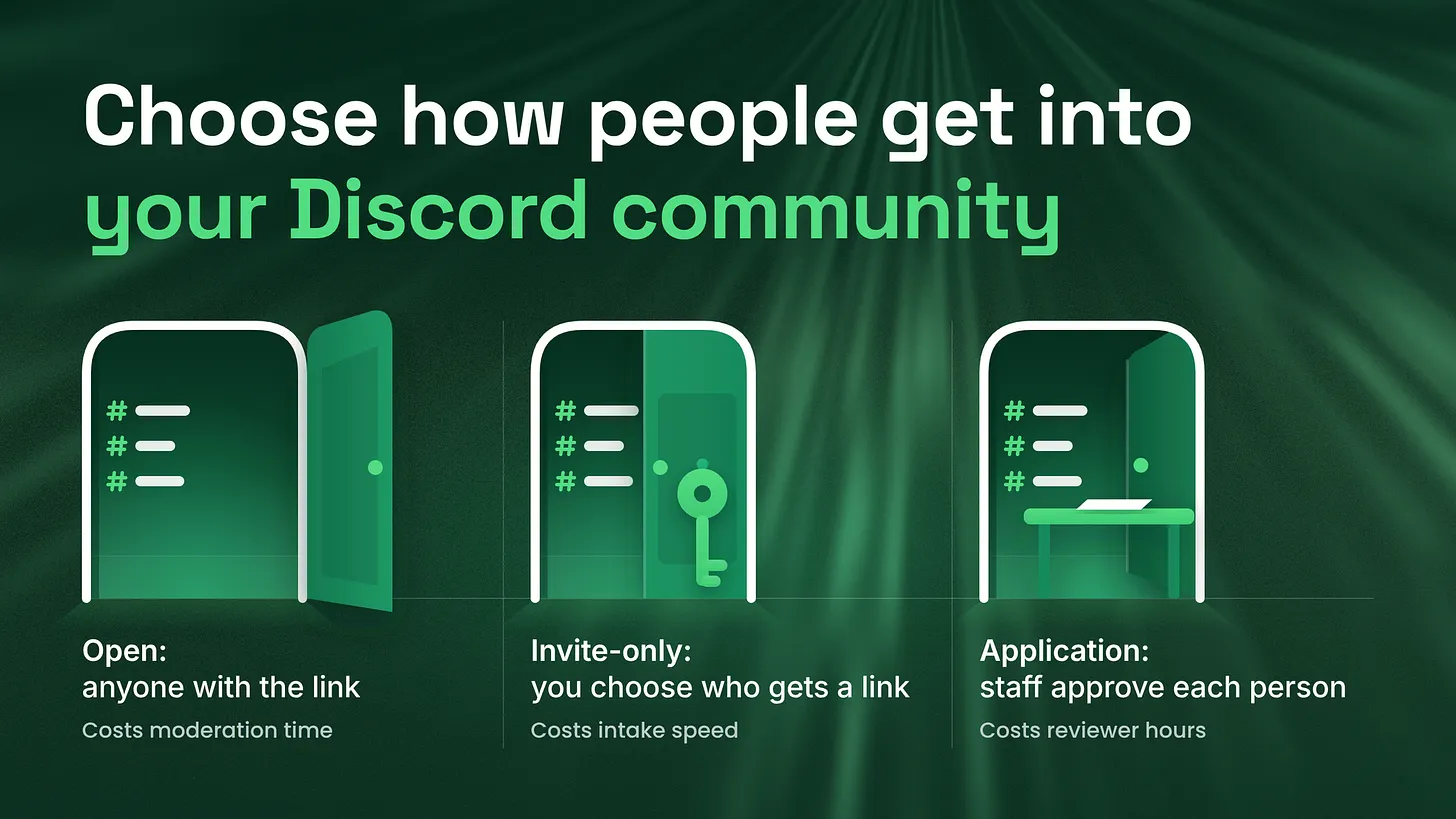
The open vs invite-only Discord community decision turns on one question: does a wrong member cost the other members something? If no, stay open. If yes, gate entry with invites or an application. Then write the choice down in five lines, with a named reviewer and a review date.
The question that decides it
Ask one question before any other. Does one wrong member cost the other members something? A wrong member is a person the community was never built for. In some communities that person costs nothing. They ask a question, get an answer and leave. In other communities their presence changes what everyone else is willing to say. The answer points to one of three ways in.
- No, a wrong member costs the others nothing. Stay open. Anyone with the public link gets in.
- Yes, and you can name in advance who belongs. Go invite-only. You send links to the people you choose, such as paying customers.
- Yes, and you cannot tell who belongs until you ask. Use an application. People answer a few questions and staff approve each one. None of the three is the better model. Each buys something, and each takes staff time every week. A few terms, explained once:
- A server is one community's space on Discord.
- A channel is one room inside the server, usually for one topic.
- A role is a label on a member that controls which channels they see and what they can do.
- An invite link is the web link a person clicks to join a server.
- Moderation is the work of removing messages and people that break the community's standards. I managed BlueWillow's Discord through its rise from about 1K to 1.7M members, and this is the comparison I use to make the choice.
Why the choice usually goes unmade
Most teams never decide how people get in. They copy a community they admire, or they keep whatever they started with. That is usually a public link, because sharing a link is the first thing a new server does. The choice is rarely written down. It still sets the workload from the first week. It decides who answers the basic questions, who looks at newcomers, and how much moderation the server needs. A team that never chose a model still carries the cost of the one it has.
The three ways in
Open. Anyone who has the public link can join. The link sits on your website, in your product and in your emails. Nobody on staff sees a person before they arrive.
Invite-only. There is no public link. Staff create links and send them to chosen people. According to Discord's help center (2023), a link made in the app lasts 7 days by default, and you can also limit the number of times it is used. Set both on purpose. A link with no limit on uses works for anyone it is forwarded to until it expires.
Application. People ask to join, answer questions and wait for a decision. According to Discord's help center (2025), a server can choose Apply to Join under Server Settings, Access. Staff who hold the Kick Members permission then approve, reject or interview each applicant. A permission is a specific power attached to a role. Discord says the feature is rolling out gradually, so use it where it is available to your server. Where it is not, the alternative is a form plus a role given by hand. New people land in one waiting channel, fill in the form, and a staff member gives them the member role once the answers are approved.
Four questions that settle it
Work through these in order, with one written sentence for each answer.
- What is the community for? Help for every customer points to open. A peer group whose value is who else is in the room points to application. A benefit for customers only points to invite-only, with the link sent at purchase. A customer community for a software product is usually the first kind. A peer group for practitioners in one field is the second. A members' space for people who bought a course is the third.
- Does one wrong member cost the others something? There are three costs to check. Trust: members share work or figures they would not post in public. Safety: members could be contacted or targeted by someone who should not reach them. Candour: members speak plainly only because they know who is listening. If none of the three applies, a wrong member is a small moderation task and nothing more.
- Who reviews newcomers, and how many hours a week do they truly have? Name the person. Ask for the hours they have now, with their other work counted. A gate with no reviewer turns into a queue of people waiting for an answer.
- Do new people need to be able to find you? If the community grows by strangers discovering it, an invite-only server is invisible to them. An application can still sit behind a public page. An open server is the easiest to find. When question two says gate and question three says nobody has the hours, find the hours first or stay open until you can.
The comparison table
Read each row across. The last column names the first thing to go wrong, so it is the first thing to watch.
| Model | What you gain | What it costs each week | What breaks first |
|---|---|---|---|
| Open | Reach. Anyone can find you and join straight away, so help gets to every customer. | Staff time answering basic questions and removing messages and people that do not belong. | The regulars. They post less in public once the main channels fill with basics and strangers. |
| Invite-only | Control over who arrives, with no review step. Every member has a known reason to be there. | Staff time creating and sending links, and resending them to people whose link expired. | Intake. It stalls when the person who hands out links is busy, and links get forwarded. |
| Application | A look at each person before they enter. Members arrive knowing what the group is for. | Reviewer hours for every application, plus a reply to each declined applicant. | The queue. Answers slow down and good applicants give up on the form. |
Each model sends staff time to a different task: answering and removing, sending links, or reviewing applications.
What each model costs each week
None of these costs is a reason to avoid a model. They are what you agree to when you pick it.
Open costs attention. There are more basic questions, because people arrive without context and ask what is already answered. There is more moderation, because nobody was looked at before they came in. There are also more people who never speak. Silent members take little staff time, yet they make the member count a poor guide to how many people take part.
Invite-only costs speed. Intake is slow, because every new member waits for a person to send a link. The whole model depends on whoever hands out links, and it stops when they are away. Links also get passed around. According to Discord's help center (2024), the Members page shows how each member joined, including which invite code they used, and seeing invite codes needs the Manage Server permission. Check it when one link seems to have brought in more people than you sent it to.
Application costs reviewer hours. Every application needs a person to read it and reply. Some people abandon the form partway, and some of them would have been good members. You also need to decide in advance what a declined applicant is told, because the first decline is a poor moment to work that out.
To put your own figures on it, have each staff member keep this log. I use two weeks.
WEEKLY STAFF TIME LOG

Hours answering questions that are already answered     ____
Hours removing messages or people                       ____
Hours creating and sending invite links                 ____
Hours reviewing applications and replying               ____
Hours helping members with something new                ____
The last line is the one you want to be the largest. For the application model, time your first ten reviews and multiply by the applications you expect in a week.
What a vetted group gives back
In my experience, a vetted group, meaning one where each person was looked at before entering, behaves differently in three ways.
- Members arrive with context. They read what the group is for before they applied, and they wrote down why they wanted in.
- Basics are asked less. People chosen for the group tend to know the subject already, so beginner questions come up less often.
- Events are easier to run. The host knows who is in the room and at what level, so a session can start further in. These gains come with a smaller community that strangers cannot wander into. A support community loses reach that way. A peer group generally accepts the trade, since its members came for the other people in it.
Rules for whoever reviews applications
In servers I audit, the application model usually fails at the reviewer before it fails at the form. Four rules keep it working.
- A named reviewer. One person owns the queue, with one named backup. A queue owned by the whole team tends to be checked by nobody.
- A time-to-answer target. I use one working day. State the target on the form, so the applicant knows how long the wait is.
- Three to five questions at most. Each extra question gives an applicant another reason to stop. Ask only what the reviewer needs in order to decide. Which fields to ask is its own subject, and the count is the part that belongs here.
- A written line for declines. Agree the wording before the first application arrives.
DECLINE MESSAGE

Thank you for applying. This group is for [who it is for]. From your
answers, it is not the right fit at the moment. You are welcome to apply
again if that changes.
Keep the message short and send it privately. Leave out a list of reasons, because each reason becomes something to dispute.
Signs that it is time to switch
A model that fitted last year can stop fitting. These are the signals I watch. From open toward gated:
- Staff spend more of the week removing than helping.
- Regulars post less in public channels than they used to.
- The same basic questions dominate the main channels. From gated toward open:
- The review queue is older than its target two weeks running.
- Nearly everyone who applies is approved, which means the gate filters nobody. There is also a middle arrangement: an open front door with gated rooms inside. Anyone can join the public channels, and a role given by staff opens the private ones. Act on a signal when it holds for several weeks, and change one thing at a time so you can see what the change did.
The five-line access policy
Write the decision down. Five lines are enough, and each line names something a new staff member would otherwise have to guess.
ACCESS POLICY

1. Who this is for:
2. How people get in:
3. Who reviews, and how fast:
4. What a declined or removed person is told:
5. When this policy is reviewed:
A filled-in version for a peer group might read like this.
1. Who this is for: people who currently do this work for a living.
2. How people get in: an application with four questions.
3. Who reviews, and how fast: the community lead, within one working
   day. The operations lead covers absences.
4. What a declined or removed person is told: the agreed decline
   message, sent privately, with the option to apply again.
5. When this policy is reviewed: every January and July, or when the
   purpose of the community changes.
Keep it where staff will see it, such as a pinned message in a staff-only channel. Re-check it twice a year, or sooner when the purpose of the community changes.
What the access policy connects to
The access policy covers how people get in and who decides. It is one part of role and channel architecture together with onboarding. Role and channel architecture is which rooms exist and who can see them. Onboarding is what a new member is shown in their first minutes. Beside those sit moderation load, meaning how much removing staff have to do, and reporting, meaning the figures you check to see whether any of it works. The entry model feeds all of them. An open door raises moderation load, and a gate moves the first impression from the server to the form. You can settle the access policy this week with the table and the five lines. Whoever decides how people get in is also deciding what the staff will spend next month doing, so the decision deserves one written page. More at danieljeong.org.