How to Triage Member Feedback in Discord: Sort by Who Can Fix It, Report Back Weekly
Six signs your feedback channel is one unsorted pile, three buckets with a reply and a time limit for each, and a weekly post that shows members where their feedback went.

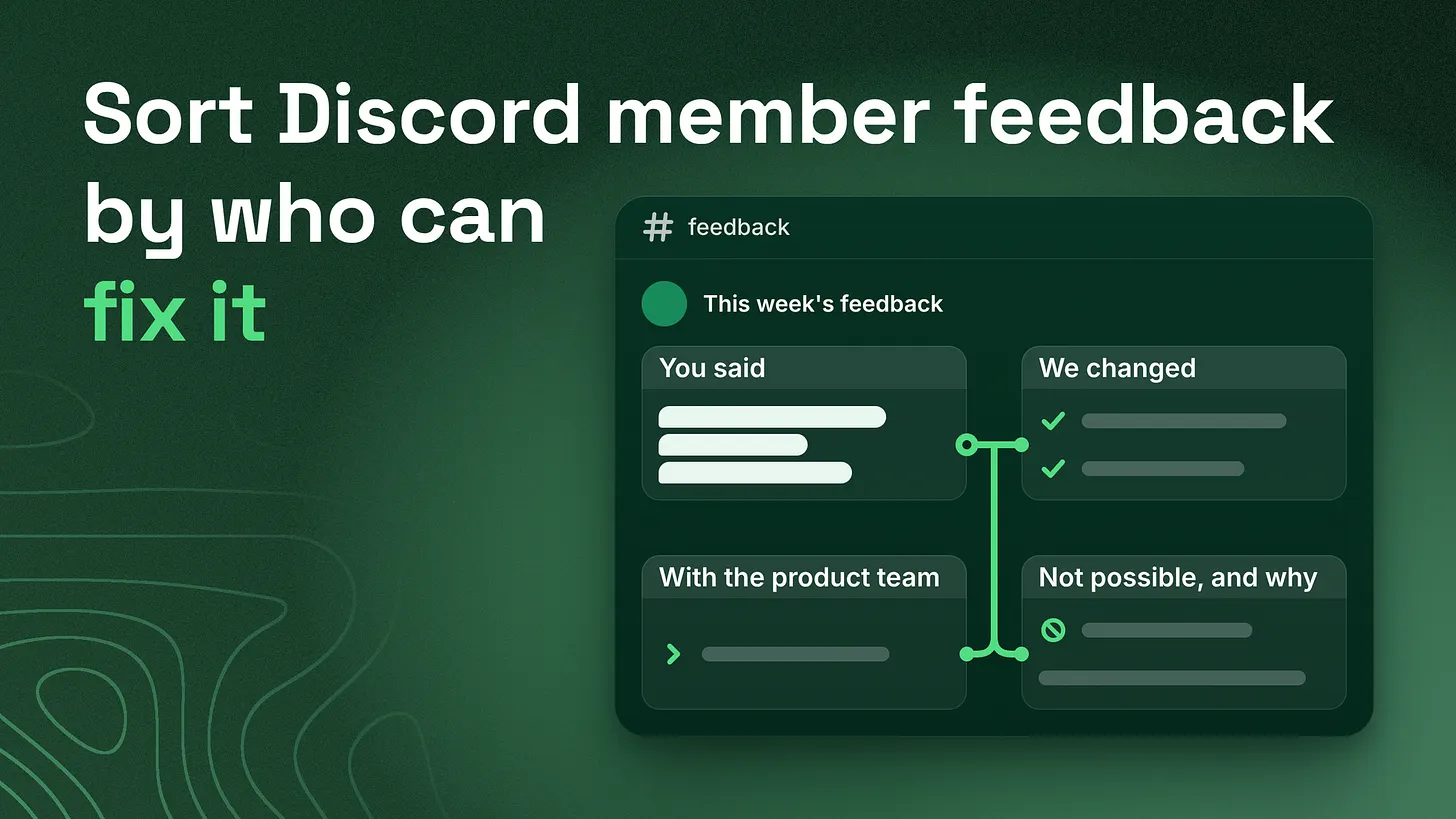
Member feedback stalls when it sits in one pile with no owner. The short answer to how to triage member feedback in Discord: sort every item by who is able to act on it, give each of the three groups its own reply and time limit, and post a four-part summary to the whole server once a week.
What the pile looks like on a Tuesday
Open the feedback channel of a busy Discord server on a Tuesday morning and read down. A channel is one room inside the server, and this one holds everything members think should be different. One member says the welcome message links to a channel that was renamed last month. The next wants the product to do something it has never done. A third is unhappy about a limit that your company has no power to change. Under each post sits the same staff reply: "Thanks, passed along."
Those three posts have one thing in common, which is where they landed. The community team could fix the first in ten minutes. Only the people who build the product can decide the second. Nobody at the company controls the third. Treated as one list, all three wait together.
The fix is to sort every piece of feedback by who is able to act on it. That gives three groups, which I will name buckets. Each bucket gets its own kind of reply and its own time limit. One named person does the sorting every working day, and the whole server gets a short report once a week.
The rest of this piece gives you the signs to check for, the three buckets with a reply script for each, the weekly report, a rule for rewards and a simple log. I served as Head Discord Moderator for Google Developers, and this is how I sort feedback in my own work now.
Six signs that nobody is sorting
You can check for these without asking anyone. Scroll back two months in the feedback channel and look.
| Sign | What you see | What it costs |
|---|---|---|
| The same suggestion returns | An idea is posted, then posted again a few weeks later by someone else | Nobody heard what happened to it the first time, so members assume it was never read |
| "Thanks, passed along" and nothing after | Staff acknowledge a post and the conversation ends there | The member cannot tell whether anyone will act |
| Small fixes sit for weeks | A broken link, a confusing channel name or a typo in a pinned post is reported and stays as it was | The easiest wins wait in the same queue as the hardest requests |
| The product team gets raw screenshots | Cropped images arrive in a company chat with the words "from the community" | Nobody can tell what the member was trying to do or how many others want it |
| Rewards follow volume | The member who posts most often gets the thanks, the special role or the gift | Members learn that frequency is what gets noticed |
| Long-standing members go quiet | People who once wrote detailed posts now leave an emoji or nothing | You lose feedback from the members who know the product best |
A few terms in that table need explaining. A pinned post is a message fixed to the top of a channel. A role is a label on a member that controls what they can see and do. A bot is an automated account that posts or acts in the server.
In servers I audit, the sixth sign is the one teams notice last, because silence does not show up anywhere.
When a careful member stops posting, nothing in the channel tells you. You only find it by looking for the names that used to be there.
The cause: one pile and no owner per item
All six signs come from one condition. Feedback is collected in one place, and no item in it has a person's name beside it. Staff write "passed along" because they have no idea who should receive the item. Small fixes wait because nobody separated them from the large requests. The product team gets screenshots because forwarding everything is the only handover anyone has set up. Sorting by topic does not solve this. A label such as "bug" or "idea" tells you what a post is about. It does not tell you who has to move. One question does that: who is able to act on this? Sorting by who is able to act gives every item an owner on the day it is read.
Bucket one: the community team can fix it
What belongs here. Anything inside the server itself: a channel, a role, a bot message, a pinned post, or the wording of a welcome or an announcement. Time limit. I use two working days from the day the item is sorted. The reply. It is sent once the fix is live, and it says what changed so the member can go and look.
Done. The welcome message now links to the right help channel,
and the old link is gone. Thanks for spotting it.
If an item cannot be finished in two working days, it probably needs somebody else's decision. Move it to bucket two instead of letting it sit.
Bucket two: the product or engineering team must decide
What belongs here. Anything that changes the product: something new it should do, a change to how it behaves, or a fault in the product itself. The community team cannot promise any of this. Their job is to hand it over well and to tell the member exactly what happened. The handover. Once a week, in a fixed four-line note for each item. The example below is for an invented product, a shared calendar app.
What the member is trying to do:  Send a week's schedule to someone outside their team
What happens now:                 They screenshot each day and paste the images into an email
How many members raised it:       6 since the start of the month
One example in their words:       "I just want one link I can send to a customer."
If you lead product, this note is the thing to ask your community team for. Line one gives you the goal, which is more useful than the member's proposed solution. Line three gives you scale. Line four keeps the member's own voice in front of you. When a suggestion is repeated, the sorter raises the number on line three and adds no new item, so a repost becomes a count. The reply. It goes to the member on the day the note is sent.
I passed this to the product team on Monday 12 October. I can't
promise it will be built, and I can't give a date. If there is
news, it will be in the weekly feedback post.
Time limit. The next weekly note. No bucket two item waits more than a week for this reply. How the product team then reaches and announces its answer is a separate process, and this method ends at a clean handover.
Bucket three: nobody at the company controls it
What belongs here. A limit set by Discord or another platform, or a pricing or legal constraint that is fixed. Time limit. The next working day. Nothing has to be built or decided, so nothing justifies a longer wait. The reply. Say that it cannot be done, give the reason in one sentence, and offer the nearest workaround.
We can't do this one. The privacy terms every member agreed to
do not let us share anyone's contact details. The nearest option
is the introductions channel, where you choose what to share.
Then close the item the same day. An open item that will never move gets reposted every few weeks, and each repost needs a fresh reply. One clear no with a reason ends that.
If the sorter is unsure whether a constraint is truly fixed, the item belongs in bucket two. Someone with the authority to say "this cannot change" should be the one to say it.
Who sorts, and when
One named person sorts, at a fixed time each working day, for ten minutes. A second named person covers their days off. If the job belongs to the whole team, each person assumes somebody else did it. In those ten minutes the sorter does four things:
- Reads every new item since the last sort.
- Logs it with a bucket and an owner.
- Replies to bucket three items on the spot.
- Hands bucket one items to whoever will fix them, and adds bucket two items to this week's note. The sorter does not judge whether an idea is good. They only decide who is able to act on it.
The simple log
The log needs six columns and nothing more.
| Date | Member | Summary | Bucket | Owner | Status |
|---|---|---|---|---|---|
| 5 Oct | Member A | Welcome message links to an old channel | One | Sorter | Closed |
| 5 Oct | Member B | Wants a shareable schedule link | Two | Product | Passed on |
| 6 Oct | Member C | Wants a list of member emails | Three | Sorter | Closed |
Status has three values. Open means the member has not yet had the reply their bucket requires. Passed on means a bucket two item has gone to the product team and the member has been told. Closed means the reply is sent and nothing more is owed.
A spreadsheet is enough. A forum channel can also serve as the log. That is a channel type where every post is its own thread, meaning its own separate conversation. According to Discord's help center (2024), forum channels support tags, and a tag can be required on every post. Set up a forum channel that only staff can see, create one tag per bucket, and require a tag. The sorter opens one post per item, and no item can be logged without a bucket.
The weekly digest
Post it on the same early-week day each week, in a channel everyone can read. I use Tuesday. It has four short parts. Here is a filled-in example for the same invented calendar app.
FEEDBACK THIS WEEK

YOU SAID
14 new items. The most common were sending a schedule to people
outside your team, and not knowing where to ask for help.

WE CHANGED
- The welcome message now links to the right help channel.
- The Helper role is now named Community Helper, so nobody
  mistakes it for staff.
- The reminder bot now states which time zone it is using.

WITH THE PRODUCT TEAM
- A shareable link for a week's schedule. Passed on Monday,
  raised by 6 members. No promise and no date.

NOT POSSIBLE, AND WHY
- A public list of member email addresses. The privacy terms
  every member agreed to do not let us share contact details.
  Use the introductions channel to share your own.
The digest answers everyone at once, including members who had the same thought and never posted it. The last part is what stops the reposts. The second part shows that reporting a small thing gets a result.
Which feedback earns a reward
Reward feedback only when it passes three tests.
- Specific. It says what happened and where.
- New. It is not already in the log.
- Usable. Whoever has to act could start from it without asking a question. The reward is recognition or access. Name the member beside the line in "We changed", or give them an early look at something. Keep it brief. Staff do not hand out gifts for any comment at all, because that is how rewards end up following volume.
One number to watch
Each week, before writing the digest, count the items still marked Open that are older than their bucket's time limit: two working days for bucket one, a week for bucket two, one working day for bucket three. The target is zero. A number that keeps rising means one of two things. Either the sorter does not have the ten minutes, or items are being placed in bucket one that needed somebody else's decision. To start, take the last twenty posts in your feedback channel and sort them into the three buckets. That is one sitting, and it shows you at once how many small fixes have been waiting.
Where feedback sorting fits
Sorting and answering member feedback is one part of community reporting and escalation paths: how information moves from members to the company and back again. Support routing, which decides where a member with a problem is sent, and documentation, which holds the written answers, sit beside it as separate layers. Members keep giving feedback for as long as they can see where the last piece went. More at danieljeong.org.