How to Set Up a Discord Server for a Hackathon: Six Steps Through the Day After It Ends
Run the hackathon inside your main Discord, give participants a role on the way in, and plan the close-out before kickoff so they stay once it ends.

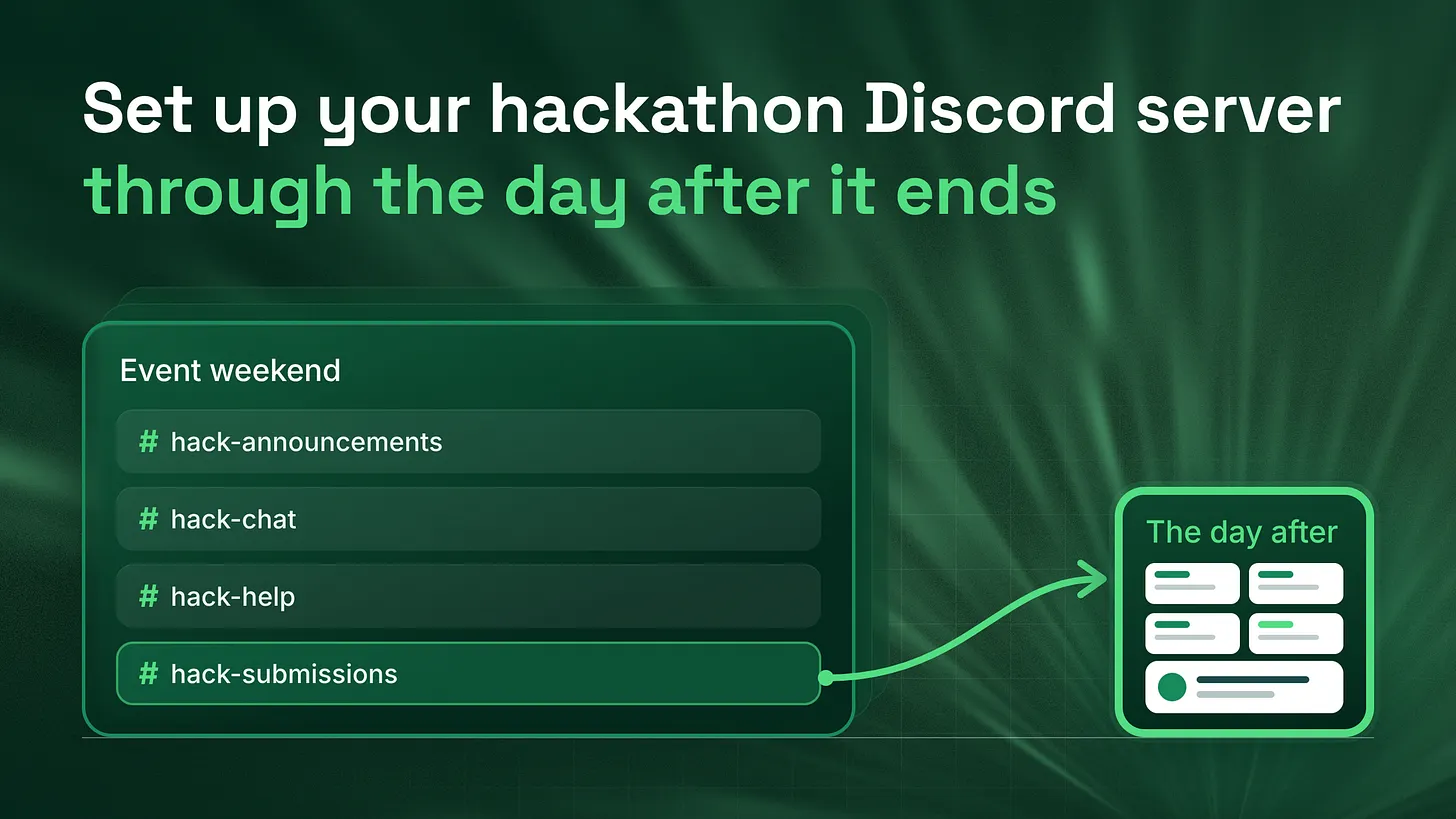
How to set up a Discord server for a hackathon: run the event as one category inside your main server, build four channels, hand out the participant role through the invite link, and name who answers help posts. Then write the close-out before kickoff, so the day after the winners post every project has a permanent home and every participant gets one next step.
What you will have at the end
When you finish the six steps below, you will have:
- One event category inside your main server, with four channels and nothing else
- A participant role that every builder receives automatically from the invite link
- A named person answering help posts at every hour of the build
- A set of announcements written in advance, each showing the time in the reader's own time zone
- A close-out plan, written before kickoff, that keeps every project on show and tells participants what to do next That last item is the one most hackathon servers are missing. Teams plan the Discord in detail up to the moment the winners are announced. After that, the event channels go quiet, the people who came to build have nothing left to do in the server, and many of them leave. The day after is when a participant decides whether your server is a place they belong or a venue they visited once. It is usually the only day nobody planned. So the short answer to how to set this up is a sequence of six steps, run in order, where the last step is planned first. The steps below are written for a Head of Developer Relations or whoever owns the event, and each one can be done without help. The order stays the same whatever the size of the event.
Step 1: Put the event inside your main server, as one category
The first decision is where the event lives. A separate server for the hackathon feels tidy. It keeps the noise away from your regular members and gives the event its own name in the sidebar. The cost shows up after the event, when every participant you want to keep is a member of a server that is about to close. Moving people from one server to another means asking each of them to click another invite, and many people do not. Build the event inside your main server instead, as one category. A category is the folder in Discord's channel list that groups channels under one heading. Two reasons make this the right container:
- Everyone who joins for the event is already a member of your community when it ends. You do not have to win them a second time.
- One category means one set of permissions. Discord's Setting Up Permissions FAQ (2022) says a synced channel has permissions that completely match its category, and that changing the category updates every synced channel automatically. That one fact is what makes step 6 a two minute job. Check one setting before you build anything. Two of the four channels in step 2 are forums, and Discord's Forum Channels FAQ (2024) says forum channels need Community turned on in your server settings. If yours does not have it on yet, switch it on now. For visibility, I recommend letting every member of the server see the category and letting only participants post in it. Regular members get to watch what is being built, which is the best advert your next event will ever have, and the builders keep a channel list that is theirs.
Step 2: Build four channels, and nothing more
A hackathon needs four jobs done in the server: telling people what is happening, letting them talk, getting them unstuck, and collecting what they built. Give each job one channel.
| Channel | Type | Who posts | Its one job |
|---|---|---|---|
#hack-announcements | Text | Event team only | Schedule, deadlines, changes, winners |
#hack-chat | Text | Participants | Team finding, ideas, general talk |
#hack-help | Forum | Participants | One post per problem, answered by a named helper |
#hack-submissions | Forum | Participants | One post per project, in a fixed format |
Both working channels are forums because a forum gives every post its own thread. A help question asked in a busy text channel scrolls out of sight within minutes. In a forum it stays visible until someone answers it. The Forum Channels FAQ also says a tag can be required before a member posts, so use that:
- On
#hack-help, use tags for the kind of problem, such assetup,API,accessandother. Your helpers can then filter for the tag they know best. - On
#hack-submissions, use one tag per prize track, so judges can open a single track at a time. Paste a fixed format into the submissions forum's guidelines box, which members see as they post:
Project name:
Team members (mention each one):
What it does, in two sentences:
Which track you are entering:
Link to the code:
Link to a demo video or live version:
Finally, add the kickoff and the demo session as Discord scheduled events. Discord's Scheduled Events article (2023) says that when an event starts, everyone who marked themselves Interested gets a notification. That is a free reminder that reaches people even after they have muted your announcements channel.
Four channels is a ceiling, not a starting point. Every extra channel splits a small crowd into quieter rooms.
Step 3: Hand out the participant role through the invite link
Every builder needs the participant role, because the role is what lets them post in the event category. Assigning it by hand, one person at a time, breaks the moment a hundred people join in the hour before kickoff. Discord can now do this with the invite itself. Discord's developer documentation on community invites, as it reads in 2026, says that when someone accepts an invite set up this way, Discord automatically gives them the roles you selected. The steps it gives are short:
- Right click the channel people should land in, such as
#hack-announcements, and choose Invite To Channel. - Click Edit invite link.
- Under Roles (Optional), select the participant role.
- Set the expiry and maximum uses, then click Generate a New Link. Three details from that same page shape how you use it:
- You need the Create Instant Invite and Manage Roles permissions, and you can only hand out roles lower than your own highest role.
- People who are already in your server also receive the role when they accept the link. Post the same link in your main announcements channel and your existing members can opt in with one click.
- Roles given through an invite stay with the member after the invite expires or is deleted. That matters in step 6. Before the link goes on your registration page, test it. Discord's View Server As Role guide (2025) explains that server owners and administrators can preview the server exactly as a chosen role sees it. Preview it as the participant role and check that all four channels appear and that posting works where it should. Then preview it as an ordinary member with no event role and check that they can see the category but not post in it.
Step 4: Name who answers, and when
A help forum with nobody assigned to it is worse than no help forum, because it promises an answer that never arrives. Before the event, write a short rota that names one person for every block of build hours. I suggest two hour blocks, with one named helper and one backup in each.
Help rota for #hack-help

Block            Named helper     Backup
Kickoff to +2h   [name]           [name]
+2h to +4h       [name]           [name]
+4h to +6h       [name]           [name]
Overnight        [name]           check every morning at [time]

Rules for helpers
1. Reply to every new post in your block, even if only to say you are on it.
2. When a post is solved, add the "answered" tag and close the post.
3. If you cannot solve it, mention the backup inside the post.
Closing solved posts keeps the forum readable. The Forum Channels FAQ describes closing a post as moving it out of the list of new posts, so the list your helpers watch only shows problems still waiting for someone. Post the rota where helpers can see it, in a private staff channel, and give each helper the same short saved reply for questions that belong somewhere else. The point of naming people is simple. When everyone is responsible for the help forum, nobody checks it at three in the morning.
Step 5: Run the day from one channel
On the day, every piece of information comes from #hack-announcements and nowhere else. If a deadline changes, it changes there first. Write the announcements before the event, so that nobody is composing a deadline warning while also fixing a broken API key.
The most useful single trick for a remote event is Discord's timestamp format. Discord's developer reference documentation, as it reads in 2026, says a timestamp written in this format displays in each reader's own time zone and locale. Write <t:1767225600:F> and a builder in Berlin and a builder in Seoul each see the deadline in their own local time. Swap the F for an R and it shows as a countdown, such as "in 3 hours." You get the number by converting the date and time to a Unix timestamp with any online converter.
A template for each announcement:
@Hackathon Participant

[What is happening, in one sentence]
When: <t:UNIXTIME:F> (<t:UNIXTIME:R>)
Where: [channel or scheduled event]
What you need to do: [one action]
Questions: post in #hack-help
Write five of them in advance: kickoff, a midpoint check in, the final reminder before submissions close, submissions closed, and winners. Mention the participant role rather than everyone in the server, so your regular members are not woken for a deadline they are not part of.
Step 6: Close it out the day after
This is the step you plan first and run last. Write it before kickoff, put a name and a time against each line, and treat it as part of the event rather than tidying up afterwards.
- Move the submissions forum into a permanent showcase. Drag
#hack-submissionsinto a category that stays open, and rename it to something like#built-at-hackathon-name. Every project stays visible and linkable, and the builders' work becomes the first thing the next round of participants sees. - Make the event channels read-only. In the event category's permissions, turn off Send Messages for the participant role. Because the channels are synced to the category, the change reaches all of them at once, as the Setting Up Permissions FAQ describes.
- Keep the participant role. Rename it to show the event and the date, such as
Builder: Spring Hack. Roles given through an invite stay after the invite is deleted, so every participant keeps a visible record of having built with you, and you keep a list you can mention when the next event opens. - Delete or expire the event invite, so nobody joins a finished event through an old link.
- Send one message to the participant role within a day of the winners post. That timing is a suggestion, not a rule. Leave it much longer and the event is no longer fresh in anyone's mind. The message:
@Builder: Spring Hack

Thank you for building with us. Every project now lives in
#built-at-spring-hack, and it stays there.

One next step: [pick one]
- Keep building in #[your regular builders channel]
- Mark yourself Interested in the next event: [scheduled event link]
- Share what you built in #[your showcase or share channel]
Offer one next step, not three. A participant who is given a single clear thing to do the day after tends to do it. A participant who is given a menu tends to close the app.
Where this sits in the bigger system
A hackathon is one event inside a longer member lifecycle: the first 48 hours a new member spends in your server, the weekly rhythm that gives them a reason to come back, and the re-engagement that reaches people who drifted away. This six step setup covers the event completely, and its close-out is the bridge into the rest of that lifecycle. The builders you keep still need onboarding that points them somewhere useful, a regular builders space that is active between events, and a report that shows your leadership how many of them stayed. For the event itself, the first move is small. Before you send the invite link to anyone, open a document and write the message participants will get the day after it ends. A hackathon is the busiest your server will ever be with people who build. The work that decides how many of them stay happens the day after, and it can be written down before the first person joins. danieljeong.org