How to Run Sponsored Posts in a Discord Community Without Losing Member Trust
Sponsor posts that share a channel and a ping with your real content teach members to ignore both. The policy, the channel setup and the disclosure line below keep paid campaigns in a lane members choose to follow.

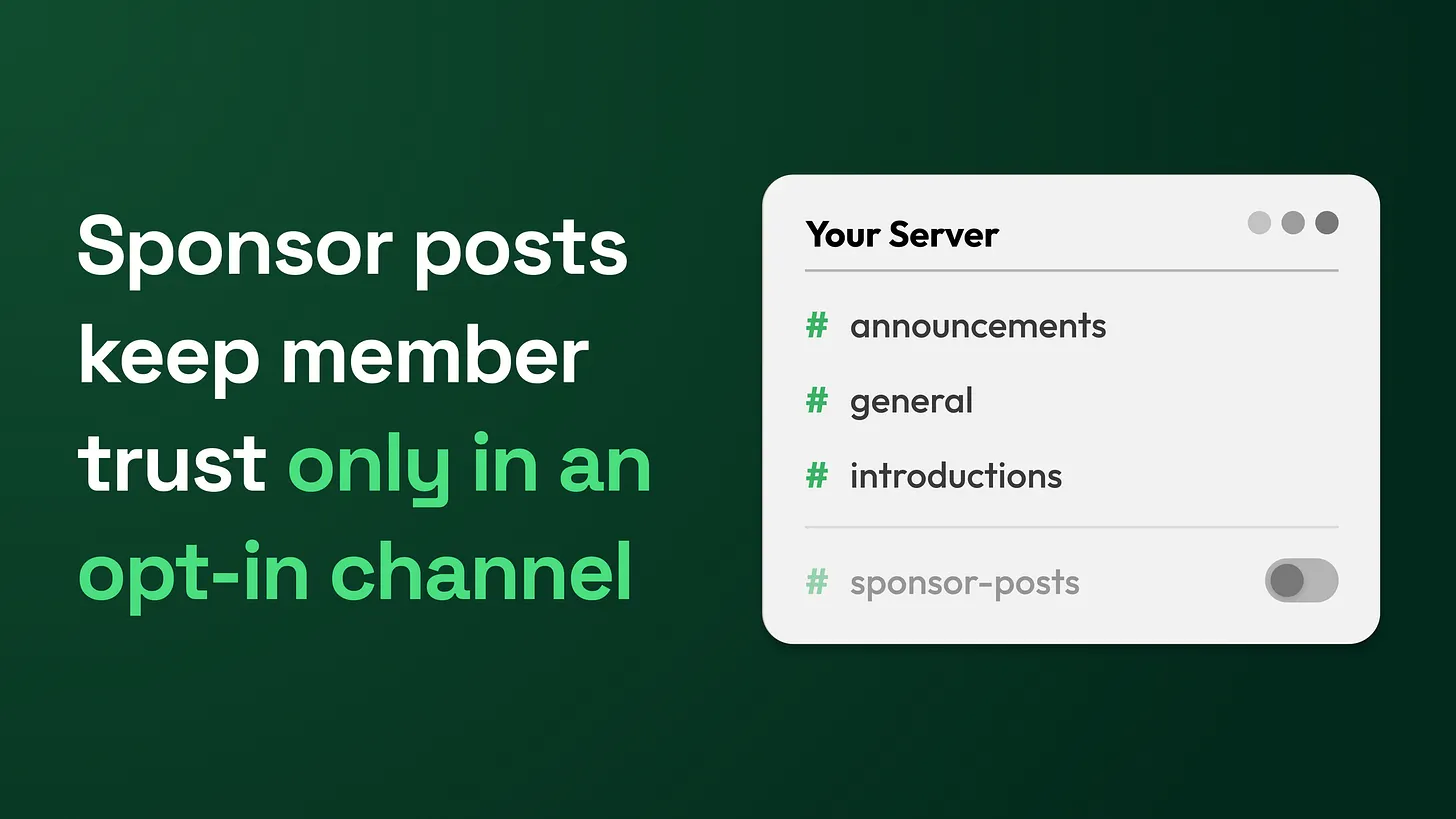
The answer to how to run sponsored posts in a Discord community is to quarantine them: one labelled channel at the bottom of the list, pings only for members who choose a role, a disclosure line on every post, and a cap you publish. Wait until members talk without prompting, and never let a sponsor reach anyone by DM.
The symptoms show up weeks after the first sponsor
The first sponsored post almost always goes into the announcement channel with an @everyone ping, because that is where the reach is. Nothing happens on the day. The damage arrives over the following weeks, and it rarely gets traced back to the sponsor, because by then the sponsor post has scrolled out of sight.
A marketing lead usually notices these first:
- Replies to your own regular posts thin out, including the genuinely useful ones.
- Members ask, under an official announcement, whether it is real or whether you were paid to say it.
- Leaves bunch up in the day after a sponsored post goes out.
- Your next product update reaches fewer people than it should, because members have muted the server.
- Messages shaped like a sponsor offer start landing in members' DMs, sent by accounts you do not control. Each of these has the same cause, and the fix is structural. Give paid content one clearly labelled channel of its own at the bottom of the channel list. Send its notifications only to members who opted in through a role. Open every paid post with a fixed disclosure line. Decide how often paid posts can appear and publish that number where members can read it. Never deliver a sponsor message by direct message. Write all of it down as a policy before the first deal is signed, because a policy written after a bad post reads as an apology.
What actually went wrong
An announcement channel and its ping carry a promise: when we notify you, it is worth your attention. Members join on that promise and keep notifications on because of it. A sponsor post in that lane borrows the promise. If the post looks like every other announcement, members cannot tell which posts are paid, so they start discounting all of them. A ping is cheap to mute, and a muted server rarely gets unmuted. The sponsor paid once. You keep paying every time a real update goes unread.
Trust is the asset a community exists to build. A sponsor is paying to borrow some of it, and the policy decides how much they get to spend.
Sponsors can still work when they are contained: a separate place, a clear label, notifications members choose, and a limit on volume. The rest of this piece is that containment, written out so you can install it.
Step one: check whether the community is ready
Selling sponsor space into a quiet server is the fastest way to lose it. When members barely talk, the sponsor post becomes the loudest thing in the room, and it defines what the community is for. Use this readiness test. Look at the last four weeks and answer honestly:
- Were most conversation threads started by members rather than by staff?
- Do members answer each other's questions before a moderator gets there?
- Do members come back and post on days when your team posted nothing?
- Would the server still look alive if you stopped posting prompts for a week? If any answer is no, the community is not ready for sponsors yet. Spend that time on the free content that brought people in. The readiness test is simple on purpose: members return and talk without being prompted, or they do not.
Step two: build the lane
This is the setup, in the order to do it. Every setting named here exists in Discord's own server settings.
- Create a category at the bottom of the channel list and name it
Partners. Position matters. The bottom of the list tells members this is optional, and it keeps paid content away from the channels new members see first. - Inside it, create one text channel,
#partner-offers. Set the channel topic to a one line version of your policy, for example: Paid posts from partners. Everything else in this server is free. Pick the Partner Offers role in #roles if you want pings. - Set the channel permissions for
@everyone: View Channel on, Send Messages off, Create Public Threads off, Add Reactions on. Members can read and react. Only staff post. A sponsor's own account never gets a role, a webhook or posting rights anywhere in the server. - **Create a role named **
Partner Offerswith no permissions at all. Leave "Allow anyone to @mention this role" switched off so members cannot ping it themselves. This is the follow-only role: it grants nothing except the notification. - Offer the role as an opt-in. Discord's onboarding questions (Server Settings, then Onboarding) can hand out a role when a member picks an answer, or you can offer it in a roles channel. Word it plainly, such as Ping me when there is a paid partner offer, and never pre-select it.
- Set the server's default notifications to Only @mentions (Server Settings, then Overview). Members who never pick the role then see the channel without being notified by it.
- Pin the member-facing policy at the top of
#partner-offers, and link to it from your rules or FAQ. One detail catches teams out. For staff to ping a role that members cannot mention, staff need the permission Discord labels "Mention @everyone, @here, and All Roles". The same permission lets them ping everyone. Settings alone cannot stop an@everyonesponsor post, so the rule has to live in the written policy and in your staff guidelines.
Step three: the disclosure line
Every paid post opens with the same block, in the same order, every time. Put it at the top. A label at the bottom of a long post is a label nobody reads.
Sponsored | Paid partnership with [Sponsor name]
We were paid to share this offer. [One honest line: whether our team has used it, and what for.]
What it is: [one sentence]
The offer: [terms, price if any, and end date]
Questions about the offer go to [sponsor's support link], not to our moderators.
Neither we nor [Sponsor name] will ever DM you about this.
You are seeing a ping because you chose the Partner Offers role. Remove it any time in #roles.
Use the word Sponsored. Softer words such as "spotlight" or "featured friend" read as hiding something, and in many places the law expects plain language. The FTC's endorsement guidance (US Federal Trade Commission, updated 2025) says a paid connection that people would not expect should be disclosed clearly and conspicuously. Check the rules where your members live, and have legal review sponsor copy if your field regulates what can be promoted.
Step four: publish the policy members read
Members forgive paid posts they were warned about. They resent ones that surprise them. Pin this text, edited to your server, before the first sponsor post exists:
How paid partner posts work here
Everything we post in this server is free, and it stays free. Sometimes a company pays us to share an offer with you. When that happens:
- It goes in
#partner-offersand nowhere else.- It starts with the word Sponsored and names who paid.
- It only pings you if you chose the Partner Offers role. Drop that role any time in
#roles.- We post no more than [your cap] paid offers per [your period].
- We never send partner offers by DM, and partners never will either. If anyone DMs you an offer using our name, it is a scam. Report it in
#support.- Partners never get staff roles and never post in our other channels.
If a partner post breaks any of this, tell us in
#feedbackand we will take it down.
Step five: set a cap and publish it
Only you can set the frequency cap, because it depends on how much you publish yourself and how much patience your members have. Two rules make whatever number you pick work. First, paid posts should stay a small minority of what your team posts in the same period, so the free content always outweighs the sponsored. Second, the cap goes into the published policy. A written cap becomes a commitment members can hold you to, and it gives you a clean answer when a sponsor asks for more slots. Raising it later means announcing the change first.
Step six: vet the sponsor before the money
A sponsor you would not recommend for free will cost you more than they pay. Run every deal through these questions before anything is signed.
| Question | Why it matters |
|---|---|
| Would we recommend this to members if nobody paid us? | If the answer is no, the label only discloses a bad recommendation. |
| Is it relevant to the reason members joined? | Offers unrelated to the community read as noise and drive muting. |
| Will they accept our channel, our disclosure line and our cap unchanged? | A sponsor asking for an everyone ping or DMs wants something you do not sell. |
| Does the offer ask members for money, wallet keys or logins up front? | That is the shape most scams take. Decline it. |
| Who answers member questions about the offer? | Your moderators should not become the sponsor's help desk. |
| Can we pull the post and end the deal if members report a problem? | Put the right to remove it in the agreement. |
What never happens
No sponsor pings to everyone.** No
@everyoneor@hereon paid content, in any channel, for any fee.No sponsor DMs.** Nobody, sponsor or staff, delivers an offer by direct message. One flat rule also gives members an easy way to spot anyone impersonating you.
No sponsored posts made to look organic.** No staff member casually praising a tool they were paid to mention, no unlabelled sponsored giveaways or Q&A sessions, and no sponsor links dropped into general chat.
No sponsor content inside paid-tier channels.** Members who pay you should not be sold to where they paid for access.
Step seven: check the trust signals every month
Sponsor damage is slow and quiet, so look for it on a schedule. Once a month, compare the weeks with sponsored posts against the weeks without.
| Signal | Where to look |
|---|---|
| Members muting the server | You cannot see mutes directly. Watch for members dropping the Partner Offers role, falling reactions on your own announcements, and members saying they muted you. |
| Members leaving right after sponsored posts | Server Insights if your server has it, or a join and leave log channel. Compare the day after a sponsored post with an ordinary day. |
| Fewer replies to regular posts | Your own non-sponsored posts over the month, against the month before. |
| More questions asking if a message is real | Search the server for words like legit, real, scam and is this an ad. |
When two of these move the wrong way in the same month, pause sponsors for the next period and find out why before you sell another slot.
Where sponsorship sits next to a paid tier
For most companies that pay to acquire members, sponsorship is the side lane. The main return on ad spend is members upgrading to a paid membership tier, and upgrades depend on members trusting that what you give them is worth money. A sponsor that dents that trust costs you more in lost upgrades than it pays in fees. That sets the order. The free layer proves its value first. The paid tier comes next, gated by a role. Sponsors come last, in their own lane. Offering an ad-free experience as one of the paid tier's benefits keeps both streams pointing the same way.
The larger system this belongs to
The sponsorship lane is one part of a community monetization system, and this piece covers that part completely. The other layers are separate builds: the free value layer that earns attention, the paid tier and its role gating, the announcement and notification rules that decide what earns a ping, moderation and anti-scam protection, and the reporting that tells leadership whether money made in the community is costing members. The sponsorship lane depends on every one of them holding up. Members forgive a paid post they were told about in advance. What they remember is the one that arrived looking like something else. More at danieljeong.org.