How to Handle Self-Promotion in a Discord Community: One Channel, One Format, One Redirect
Give member links one forum channel, a three line format and a weekly limit, then let AutoMod point every stray link back to that channel.

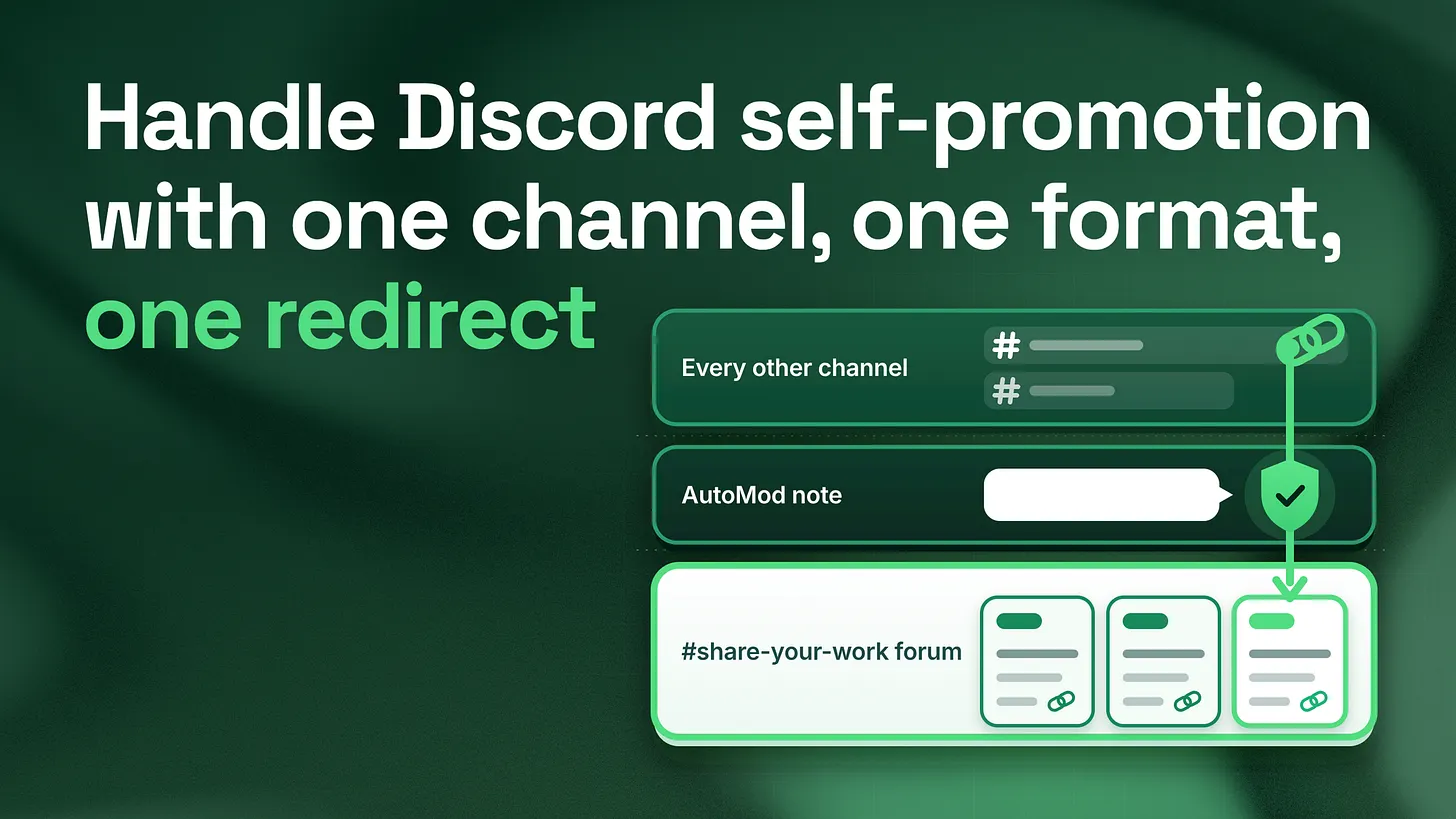
How to handle self-promotion in a Discord community: give it one forum channel with a three line post format and a weekly limit, then set AutoMod to block self-promotion links everywhere else with a note that names that channel. Members learn where their link goes, and moderators stop judging links one at a time.
What self-promotion means here, and the short answer
Self-promotion, in a Discord community, is a member posting a link to something of their own: a video they made, a newsletter they write, a product they sell, an invite to another server they run. It is rarely spam in the bot sense. It is usually a real person, often one of your most active members, doing what creators are told to do everywhere else online. The way to handle it is to give it one home and point every stray link at that home. In practice that takes three pieces:
- One forum channel,
#share-your-work, where every member post follows the same three line format. - A limit of one post per member per week, written into that channel's guidelines.
- An AutoMod rule that blocks self-promotion links in every other channel and shows the member a short note naming
#share-your-work. The rest of this piece walks through the server before that change and after it, part by part, so you can see exactly what each piece fixes and copy it.
Before: the two rules most servers run
Across the 155+ communities I have worked in over five years, most servers run one of two rules about member links. Both sound reasonable on the day they are written. Both stop working once the server holds more than a handful of people who make things. Rule one: no self-promotion at all. Members still have work they want to share, so the links move into replies. Someone asks a question, and the answer is "here is a video I made about exactly this." Now a moderator has to judge it. Is it a helpful answer or an advert? Two moderators judge the same kind of link differently. The member whose link was removed sees a similar link from someone else stay up, and the rule starts to feel personal. The creators who could have been your most valuable members learn that the server does not want what they make, and they quietly take it elsewhere. Rule two: self-promotion anywhere. The opposite rule fails in the opposite direction. Links land in the general chat, in the help channel, under event announcements. Each one on its own is harmless. Together they push conversation off the screen, and members who came to talk start reading the server as a noticeboard. People who post links rarely open other people's links, so most posts get no reply, and the creators conclude the community does not care about their work either.
| What you see | No self-promotion | Self-promotion anywhere |
|---|---|---|
| Where links end up | Hidden inside replies | In every channel |
| Who decides what stays | Each moderator, case by case | Nobody |
| What creators learn | Their work is unwelcome | Nobody reads their work |
| What everyone else sees | Removals that look random | A wall of links |
Neither rule answers the one question a member with a link actually has: where am I allowed to post this?
After: one channel, one format, one redirect
Here is the same server after the change, row by row.
| Part of the server | Before | After |
|---|---|---|
| Where member links go | Everywhere, or hidden in replies | #share-your-work only |
| What a post looks like | Anything, often a bare link | Three lines: what it is, who it is for, one link |
| How often a member can post | No limit | Once a week |
| What happens to a stray link | A moderator decides, or nothing happens | AutoMod blocks it and shows a note naming the channel |
| What the team learns | Nothing | A weekly record of who makes what |
Four parts make that table true: the channel, the limit, the redirect, and one moderator reply for whatever the filter misses.
Part one: the channel
Make it a forum channel. A forum is a Discord channel type where every post opens its own thread, so the replies stay attached to the post they answer instead of scrolling past it. Discord's developer documentation on threads, as it reads in 2026, describes forum posts as threads. In a text channel, a link that gets no reply in its first few minutes disappears under newer messages. In a forum, it waits for the next reader. Three settings matter, all described in Discord's Forum Channels FAQ (2024):
- Required tags. The FAQ says tags can label posts and "can also be a requirement before a member of your server makes a post." Make a short set that matches what your members actually make, for example
video,writing,tool,eventandfeedback wanted. Four or five is plenty. - Post guidelines. The forum has its own guidelines box. That is where the format and the limit live, so members see them at the moment they post.
- Default layout. The FAQ describes List View as better for text discussion and Gallery View as better for media. Choose Gallery if most of your members share visual work. The format to paste into the guidelines:
Share your work here. One post per week.

Line 1: What it is (a video, an article, a tool, an event)
Line 2: Who it is for, in plain words
Line 3: One link

Pick a tag before you post. Reply to at least one other post this week.
The second line does most of the work. Writing "who it is for" makes the poster think about a reader, and it gives everyone scrolling the forum a reason to open the post or skip it. The last line, replying to someone else's post, is my own house rule rather than anything Discord requires. It is what turns a list of adverts into a place where creators actually watch each other's work.
Part two: the limit
One post per member per week is my own working default, not a published standard. It is enough for anyone actively making things, and low enough that the forum stays readable. Discord cannot enforce a weekly limit on its own. Its Slowmode FAQ (2025) describes slowmode as a per-user cooldown between messages, and the longest setting it lists is six hours. So the weekly limit is a written rule, checked by a person. One moderator spends a few minutes each week scrolling the forum for anyone who posted twice. The first time, they send a private reminder. The second time, they remove the extra post with the same reminder. That check is light work because the forum keeps every post in one place with a name and a date on it. Checking the same rule across ten text channels would take an afternoon.
Part three: the redirect
This is the part that changes a moderator's week. AutoMod is Discord's built-in message filter. According to Discord's AutoMod FAQ (2026), a custom keyword rule can detect links as well as words, can block a flagged message, and can show the member a message that is "only visible to them," with your own text of up to 150 characters. The same FAQ says each rule takes up to 1,000 keywords of up to 60 characters each, and that a * wildcard lets one keyword match its variations.
One rule does the whole job. Here is the setup I start from:
Rule name:   Self-promotion redirect
Rule type:   Custom keyword

Keywords:    *discord.gg*
             *youtube.com*
             *youtu.be*
             *twitch.tv*
             *patreon.com*
             *gumroad.com*
             *substack.com*
             (add the sites your members actually post from)

Response:    Block message, with a custom note
Note:        Links to your own work go in #share-your-work, one post a week.
             The three line format is pinned there.
Alert:       Send alert to a private moderator channel
Exempt:      #share-your-work, #resources, the Moderator role
That keyword list is a starting point, not a finished product. Every community posts from different places, and the alerts in the first week will tell you which sites are missing. Four details decide whether the rule works:
- Exempt the forum itself. The FAQ says exempting a channel also exempts the threads inside it. Forum posts are threads, so one exemption should cover every post in
#share-your-work. Confirm it with one test post from a normal account. - Exempt the channels where links are the point. A resources channel, or a help channel where members share tutorials to answer questions, should not trigger the rule.
- Use the alert. The FAQ describes alerts as "who-what-where information about blocked messages," sent to a private channel you choose. That channel becomes your record of who keeps posting links in the wrong place.
- Test from a normal account. The FAQ states that users with Admin or Manage Server permissions are always exempt from filter rules. Test from your own admin account and nothing happens, and the rule looks broken when it is not.
The member whose link is blocked sees a note telling them where to post it. Nobody else sees anything, and no moderator has to write a reply.
There is one honest limit. AutoMod matches text, not intent. It cannot tell a member's own video from a tutorial they found and shared to help someone. Two habits cover that gap. Run the rule with alerts only for the first few days and read what it would have caught before you switch blocking on. And exempt the channels where helpful links belong, rather than trying to write a keyword list clever enough to read minds.
Part four: one reply for everything the filter misses
Some self-promotion has no link at all: "DM me if you want my course." Some arrives as an image or a link shortened through a site you have not listed. For those, every moderator uses one reply, word for word:
Thanks for sharing this. Posts about your own work live in
#share-your-work, so the people looking for it can find it.
Please repost it there using the three line format pinned at the top.
Using the same words every time matters more than which words you pick. When every moderator sends the identical message, no member can feel singled out by one person, and a new moderator can enforce the rule on their first day.
The changeover: from before to after in one week
- Day 1. Create the forum, the tags and the guidelines. Post one example yourself using the format, so the first member has something to copy.
- Day 2. Announce the change in your announcements channel without pinging everyone. Say where links go now, the format, the weekly limit, and the date the filter starts.
- Days 3 to 5. Turn the AutoMod rule on with the alert only, no blocking. Read every alert. Remove keywords that caught helpful links and add the sites members actually use.
- Day 6. Switch the rule to block with the note. Test it from a normal member account.
- Day 7. Reply to the first week's posts in the forum yourself. A creator whose first post gets a reply from the team usually posts again.
What the after picture gives a creator program
For anyone running a creator, partner or ambassador program, the forum becomes more useful than a tidy server. Every post is tagged, dated and attached to a member. Once a week you can see who made something, what kind of thing it was, and which posts other members replied to. That is a shortlist for features, partnerships and ambassador invitations built from members' actual work, rather than from whoever asks the loudest. One weekly habit makes it stick. Pick one post that drew real replies and feature it in your announcements channel, with the creator's permission. Members see that the team reads the forum, and the people who make things have a reason to keep bringing their work to it.
Where this sits in the bigger system
Self-promotion is one stream in a server's content routing: the set of decisions about which kind of message belongs in which channel, and what happens when one lands in the wrong place. The same system covers support questions that land in general chat, feedback that lands under announcements, and side conversations that bury a help request. It sits alongside channel architecture, moderation rules and onboarding, and each stream needs the same three things built here: a home, a format and a redirect. This piece covers the self-promotion stream completely. The first step takes ten minutes. Write the note your members will see when a link is blocked, name the channel in it, and keep it under 150 characters. Creators stay where their work gets read. Giving that work one place, and pointing people to it without a scolding, is how a server earns the habit. danieljeong.org