How to Connect Members With Each Other in a Discord Community: A Weekly Introduction System
A before and after of one developer's first month, and the weekly introduction pass that turns a stranger with an unanswered question into a member who stays.

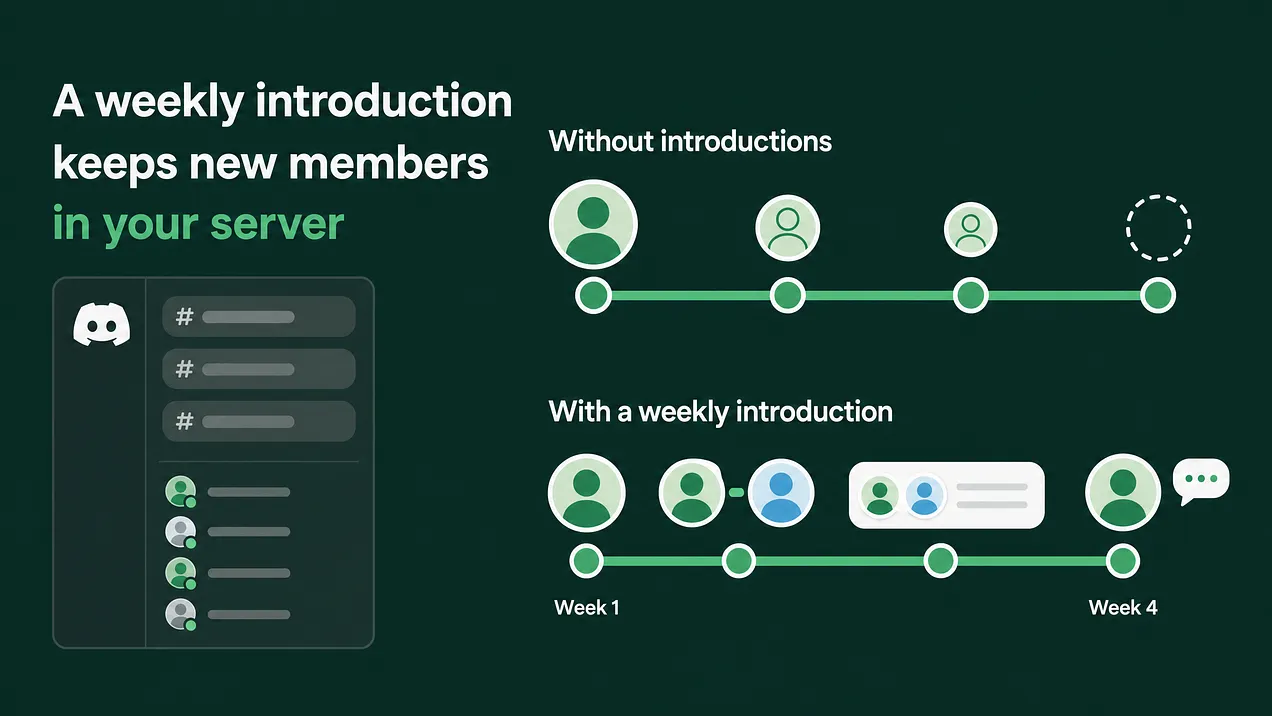
If you are working out how to connect members with each other in a Discord community, run a weekly introduction pass. Ask two questions at join, keep the answers in a sheet, and each week pair a few members where one person's need meets another's offer. Ask both first, then introduce them in a private thread with a specific reason.
One developer, two first months
A backend developer joins your server on a Monday. Their team is wiring your webhooks into a billing service, and the signature check fails in production every few hours. They skim the welcome message and paste the error into the help channel. Here is how the next four weeks go in two versions of the same server. In the first, nobody introduces anyone. In the second, the team runs a weekly introduction pass.
| Week | Server with no introductions | Server running the introduction pass |
|---|---|---|
| Week one | The error gets one emoji reaction. A reply arrives two days later asking for more logs, and by then the developer has moved on to other work. | At join they answered two questions: working on Webhooks, can help with Python SDK. Their row lands in the team's member sheet the same day. |
| Week two | The question has scrolled out of view. They read a few threads and post nothing. | The weekly pass finds a member who shipped the same integration last quarter and works in the same time zone. Both say yes. A private thread opens with a two line reason. |
| Week three | They open the server once, see nothing addressed to them, and close it. | The pair compare how they verify signatures. The fix turns out to be a clock setting on one server. They talk again later in the help channel about retries. |
| Week four | They are gone. Nobody on the team noticed, because nobody knew they were there. | The developer answers another member's Python question. A follow-up message confirms the introduction helped. |
Both versions start with the same person and the same broken webhook. In the second, somebody on the team knew what this member needed and knew another member who had already solved it. That is the whole answer to connecting members with each other: somebody does it on purpose, every week. Capture what each person is working on and what they can help with when they join. Keep those answers in a directory, which can be a plain sheet. Once a week, pick a handful of matches, ask both people privately, introduce them in a private thread with a specific reason, and follow up a week later. Track which introductions turn into repeat conversations. The rest of this article is the full system and the exact messages to send.
The relationships that keep people in a community rarely start in the general channel. They start when one person is pointed at another for a reason.
Why the first month drifts
Most communities leave member to member connection to chance. The hope is that a busy general channel will introduce people by itself. In practice, open channels reward the members who are already known. A newcomer's question sits among dozens of others, and the one person who could answer it has no idea it exists. Developer communities have a sharper version of this problem. The questions are narrow, often about one SDK version or the rate limit on one endpoint. The member who can help is usually one specific person, and they are rarely watching the help channel at the right moment. Discord does not do this matching for you, and most community platforms leave it out too. So a person has to do it, by hand, on a schedule. That sounds heavy. At a handful of introductions a week it fits inside one focused hour.
The system behind the second month
Seven steps, run once a week:
- Capture
working onandcan help withat join. - Keep a simple member directory. A sheet is enough.
- Pick a handful of matches each week.
- Ask both people first, which is what double opt-in means.
- Introduce them in a private thread with a specific reason.
- Follow up after a week.
- Track the introductions that turned into repeat conversations. Each step is below, with the message templates to copy.
Step one: two questions at the door
The two questions, word for word:
What are you working on right now?What could you help another member with?The natural home for them is Discord's onboarding questions, the built-in screens a new member sees when they join, set up under Server Settings. Discord's onboarding guide describes these questions as multiple choice, and each answer can give the member a role or show them certain channels. That means you write the answers as topics that fit your product. For a developer tool, that might beWebhooks,Authentication,Python SDK,JavaScript SDK,DeploymentandData export. Keep it to six to eight options and allow multiple answers. Use the same list for both questions. A need and an offer written in the same words match up cleanly, and the sheet can be filtered in seconds. Multiple choice captures the topic and misses the detail. For the detail, link a short form in the welcome message with one free text field:In one sentence, what are you stuck on or building?Keep it optional. The members who fill it in are telling you they want to be connected, which makes them the first people to match. Say who sees the answers in the question text itself. A role shows on a member's profile, so any answer that becomes a role is public. If you would rather keepcan help withprivate, collect it only through the form and keep those answers inside the team.
A member who picks
Authenticationunder "can help with" has volunteered in a small way. Treat it as permission to ask them one day, and ask every time you want to use it.
Step two: a directory that fits in a sheet
Every answer becomes one row. Nothing here needs a paid tool.
| Field | Example | Why it is there |
|---|---|---|
| Member | @dev_river | Who to message |
| Joined | The date | New members get matched first |
| Working on | Webhook signature checks failing in production | The need, in their words |
| Can help with | Python SDK, retry logic | The offer, in their words |
| Shared context | UTC+1, Go and Python, two person startup | The detail that makes a match feel personal |
| Open to intros | Yes, ask first, or no | Consent, kept visible on every row |
| Last intro | The date | Stops you asking the same helper too often |
| Notes | Posted a good fix in the help channel | What you learn from their posts |
The sheet does a second job. Before any live event, the host reads the rows for everyone who registered, so they walk in knowing a line about each person. Nobody should host a session blind when the answer to "who is this" is already sitting in a row.
Step three: the weekly matching pass
Block one fixed slot a week. Open the sheet and filter to members who joined in the last two weeks, plus anyone whose question went unanswered.
The matching rule: one need meets one offer, plus one shared context. One member's
working onlines up with another member'scan help with, and the two share one more detail, such as a time zone, a programming language, a company stage, a spoken language or the same kind of project.
The need and the offer give two people a reason to talk once. The shared context gives them a reason to keep talking, and it tells the helper this ask was picked for them specifically. A handful means three to five pairs a week. More than that and your messages start to read like a mail merge. Two guardrails keep helpers willing: ask any one helper at most once every two weeks, and prefer helpers who have been in the server for at least a month, because a settled member knows where things are.
Step four: ask both people first
Double opt-in means both people agree before the introduction happens. Ask the helper first, because they are the one giving time. Only after they say yes, message the new member. If either one says no, the other never hears that they were asked.
TO THE HELPER (send first)

Hey {helper}, a quick ask, and no is a fine answer.

A member who joined this week is working on {their need, in their words}. You mentioned you can help with {helper's offer}, and you're both {shared context}.

Would you be open to a short intro in a private thread? If yes, I'll set it up. If not, just say so and nobody else will know I asked.

TO THE NEW MEMBER (send only after the helper says yes)

Hey {member}, you mentioned you're working on {need}. There's a member here who has {done the relevant thing} and is also {shared context}. They've said they're happy to help.

Want me to introduce you two in a private thread? Totally fine to say no.
Step five: the introduction in a private thread
A private thread is a thread inside a channel that only the people added to it can open, along with moderators who have permission to manage threads. Create it in a channel you keep for introductions, add both members by mentioning them, and post the intro. If your server cannot create private threads, a group DM with the three of you does the same job.
Name the thread with both handles and the topic, for example @dev_river + @dev_sol: webhook signatures.
{member}, meet {helper}. {helper}, meet {member}.

Why you two: {member} is working on {specific need}. {helper} {specific relevant experience} {when}, and you're both {shared context}.

An easy first step: {member}, share where you're stuck in two or three lines. {helper}, reply whenever you have a minute. There's no deadline.

I'll check in next week. If this turns out not to be useful, either of you can leave the thread with no explanation needed.
The specific reason carries the whole introduction. "You two should connect" gives neither person anything to say. "You both hit signature failures on the billing webhook, and you fixed yours in March" hands them the first message. After posting, stay in the thread so you can see if it stalls, and let them do the talking.
Step six: follow up after a week
Seven days later, message each person on their own. Keep it short and make both answers easy to give.
Hey {name}, checking in on the intro with {other person}. Did you two get anything useful out of it?

Either answer helps. If it worked, I'll keep making intros like it. If it didn't, tell me what would have made it a better match.
The replies are feedback on your matching, and they are the cheapest feedback you will ever collect. If people keep saying the topic matched and the conversation still went nowhere, your shared context is too weak. If helpers say the ask was too big, narrow the need before you send it.
Step seven: what to track
Five numbers, updated during the weekly pass.
| Metric | How to count it | What it tells you |
|---|---|---|
| Proposed | Pairs you asked about this week | Whether the pass is actually running |
| Accepted | Pairs where both said yes | Whether your asks feel worth saying yes to |
| Replied | Threads where both people posted | Whether the specific reason gave them a first message |
| Repeat conversation | Pairs who talk again after the thread, in a public channel or a DM they mention | Whether a relationship formed |
| Still active at week four | Introduced new members who posted during their fourth week | Whether introductions are keeping people |
The number that matters most is repeat conversations. An introduction that produces one helpful thread solved a problem. An introduction that produces a second conversation without you produced a relationship, and relationships are why people stay. Put that number in your monthly report beside the usual activity figures.
When to add a bot, and when to keep it human
Light automation fits one part of this system. Set a bot to post a weekly ask and offer thread on a fixed day, such as Monday morning. Members reply with a line starting Asking: or Offering:. The thread gives members a public way to find each other, and it gives your weekly pass a second source of matches.
Add the bot when the directory grows faster than one person can read it in the weekly slot, or when members start asking to be introduced. Before that, the thread will sit mostly empty and signal a quiet server.
Keep the rest human: choosing the match, the private ask, the introduction message and the follow-up. An automated message telling two strangers they should talk is the kind people ignore, because nothing in it shows that someone looked at both of them.
Privacy rules for the whole system
Never share a member's details with another member until that member has said yes.
Share only what the member wrote themselves, in their own words.
Keep the directory inside the team, and never post screenshots of it.
Treat a no as permanent until the member changes it. Mark the row
noand skip it.Delete a member's row when they leave the server.
Consent is what lets the system run for years. The first time a member learns their details were passed along without asking, every future introduction looks suspicious.
Where this sits
Member introductions are one layer of the engagement rhythm and retention system a community runs on. Around them sit onboarding, the first 48 hours after someone joins, weekly rituals, events, feedback loops, and the reporting that tells leadership what changed. This article covers the introduction layer fully enough to start it next week. The other layers are separate builds, and introductions work best when the first 48 hours already bring people far enough in to answer those two questions. A member who drifts away in week four usually had a question and nobody to take it to. One introduction, chosen with care, gives them a person to come back to. More at danieljeong.org.