How to Communicate an Outage in Discord: Five Steps, With the Next Update Time on Every Post
A staff-only status channel, one person writing updates, a first post ready in advance, a promised time on every update, and a proper close. Members stop asking when they know when to look.

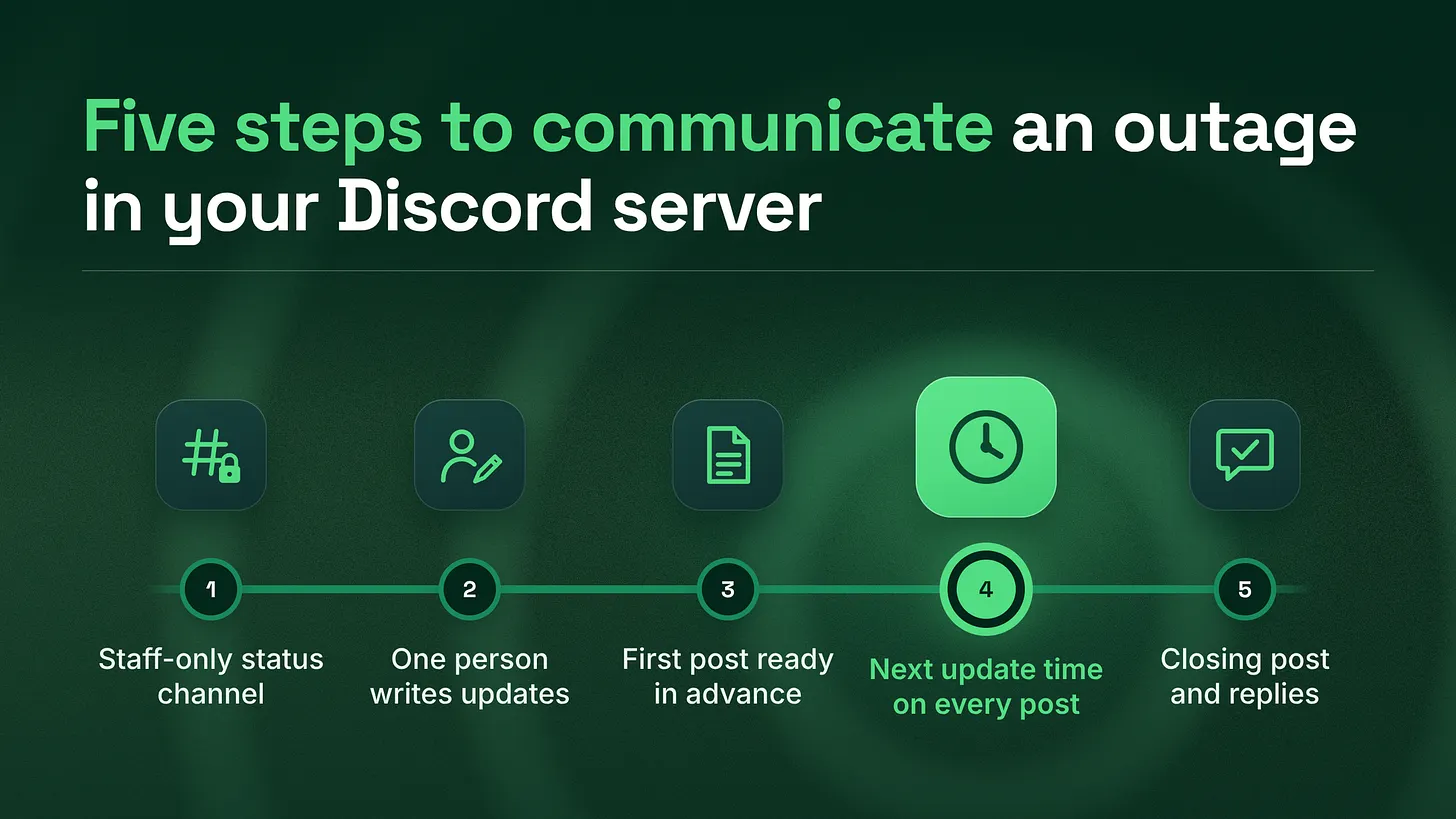
This is how to communicate an outage in Discord: set up a staff-only status channel, name one person to write updates, and keep a four-line first post ready. End every update with the time of the next one and post at that time even with no news. Close with a summary and an answer for everyone who asked.
The short answer
Set up five things before anything breaks. You need a status channel where only staff can post, one person whose only job during the outage is writing updates, and a first post written in advance. Every update ends with the time of the next one, and the outage closes with a summary and a reply to everyone who asked. That is the whole method. The rest of this piece shows how to build each part and why it works. The reason it works is simple. When your product breaks, your members do not flood the server because they are impatient. They flood it because nothing on screen tells them when they will hear more. A member who sees "next update at 3:00 PM" has a reason to stop refreshing. A member who sees "we are looking into it" and nothing else has every reason to ask again, and so does the next person who joins the channel. I have watched this play out across five years and more than 155 communities. The servers that get through an outage calmly are rarely the ones with the most staff online. They are the ones that decided how to talk before the bad day arrived.
An outage is the one moment every member of your community needs the same piece of information at the same time. Treat it like a broadcast, and plan the broadcast in advance.
Step 1: Build the status channel on a quiet day
Create one text channel for outages and nothing else. Call it something a new member would understand at a glance, such as #server-status or #product-status. Set the permissions so only staff can send messages, and turn on threads so each outage gets one thread underneath its first post.
That thread is where member questions and bug reports go. It keeps the main channel clean, so a member who opens it sees updates and nothing else, in order, with no scrolling through hundreds of "same here" messages to find the latest one.
A few settings make this channel far more useful:
- Make it an announcement channel if your server has Community features turned on. Discord's Announcement Channel FAQ (checked October 2026) explains that members of other servers can follow an announcement channel and receive published posts in their own server. Partner communities and power users can then mirror your status updates without you posting twice. The same page notes a limit of 10 publishes per hour, which is far more than an outage needs if you follow Step 4.
- Use an opt-in role for alerts. Create a role such as
Status alertsthat members choose for themselves, and mention that role on the first post and the final post. Mentioning everyone in the server for every update trains members to mute you, and a muted server is a server nobody sees during the next outage. - Pin a short explanation at the top: what this channel is for, where to ask questions during an outage, and where to open a support ticket if something is wrong with their own account.
Then add one line to your
#generalchannel description and your support channel description that points to the status channel. During an outage, the first place a confused member looks is wherever they normally talk. Make sure that place sends them on.
Step 2: Name one update owner who is not fixing the problem
This is the step teams skip, and it is the one that breaks most often. During an outage, the people who understand the problem are busy fixing it. If they are also responsible for posting updates, the updates stop the moment the fix gets difficult, which is exactly when members need them most. Google's Site Reliability Engineering book (O'Reilly, 2017) describes this split in its chapter on managing incidents. It separates the people doing the operational work from a communication role it calls "the public face of the incident response task force," whose job includes issuing periodic updates. The same idea scales down cleanly to a Discord community. You do not need a large engineering organisation to borrow it. Write down three names before you need them:
- The update owner. This person writes and posts every update in the status channel. They talk to the engineers, translate what they hear into plain language, and keep the clock from Step 4.
- The backup. If the outage happens at 3:00 AM for the update owner, this person takes over. Name them now, not during the outage.
- The engineering contact. One person on the technical side who answers the update owner's questions. The update owner asks one person, so engineers are not interrupted by several staff members asking the same thing. The update owner does not need to be technical. They need to be calm, clear and reachable. In many teams the best fit sits in support or community, because those people already know how members talk and what members are afraid of.
Step 3: Write the first post before you need it
The first post is the hardest one to write, because it goes out when you know the least. Write it now, as a template, so that on the day the update owner fills in blanks rather than staring at an empty message box. Keep it to four lines. Each line answers one question a member has the moment something breaks.
What is broken: [the feature or service, in the words members use]
Who is affected: [everyone, or which group, or "we are still checking"]
What to do now: [a workaround, or "nothing, your data is safe", or "please do not retry payments"]
Next update: <t:UNIX_TIME:t> (<t:UNIX_TIME:R>)
Post it as soon as your team confirms there is a real problem. Do not wait for the cause. Members forgive "we do not know why yet" far more easily than they forgive silence, and Atlassian's incident communication guide (2026) calls the initial update the most important one of the whole incident.
The last line uses Discord's timestamp format. The Discord developer documentation (checked October 2026) explains that a timestamp written as <t:UNIX_TIME:t> displays in each viewer's own time zone and locale, and the R style shows relative time such as "in 30 minutes". Your members are spread across time zones. A plain "next update at 3:00 PM" is wrong for most of them. A timestamp is right for every one of them.
Prepare two or three versions of this template for your most likely failures, such as login problems, payment problems and a full outage. Store them in a staff-only channel or your internal docs where the update owner can copy them in seconds.
Step 4: Put the next update on a clock
Every update ends with the time of the next one. Then you post at that time, even if nothing has changed.
This is the rule that cuts the volume of repeated questions. A member who knows when the next update is due has no reason to ask in the meantime. A member who has been promised an update at 3:00 PM and receives one at 3:00 PM learns that your status channel can be trusted, and checks it first next time instead of asking in #general.
Atlassian's guide recommends never going more than one hour without an update while customers are affected, and always saying when to expect the next one. For a Discord community, I set the default like this:
| Outage stage | Update rhythm | What the update says |
|---|---|---|
| First hour | Every 30 minutes | What changed, what is still broken, next update time |
| After the first hour | Every hour at most | Progress in plain words, or "still working, no news yet", next update time |
| Fix deployed, watching | Once, then the closing post | What was fixed, what members should check, when you will confirm it is over |
The 30 minute rhythm in the first hour is my own working default, not an industry standard. Adjust it to your product. The one hour ceiling comes from Atlassian's guide. The "no news" update matters more than it looks. "Still working on it, nothing new yet, next update at 4:00 PM" is a complete and useful update. It tells members you are still there, and it resets the clock. Two more things help the room stay calm while you wait:
- Turn on slowmode in your busiest channel for the length of the outage. Discord's Slowmode FAQ (checked October 2026) describes a dedicated "Bypass Slowmode" permission, so you can slow members down without slowing your own staff.
- Have moderators reply to repeat questions with a link to the latest update, not with their own summary. One source of truth means nobody repeats a detail that is already out of date.
Step 5: Close the outage properly
When the fix is confirmed, post a closing update in the same thread and mention the alert role again. It should cover three things in plain language: what happened, what you fixed, and what you are changing so it is less likely to happen again. Keep it short and direct. Members do not need a technical report. They need to know it is over and that someone learned from it.
Resolved: [feature] is working again as of <t:UNIX_TIME:t>.
What happened: [one or two plain sentences].
What we fixed: [one sentence].
What changes now: [one sentence about prevention].
If something still looks wrong for you, reply in this thread or open a ticket.
Then do the part most teams forget. Go back through every question asked during the outage, in the thread, in #general and in your support tickets, and make sure each person got a real answer. A member who asked "is my order safe?" and never heard back will remember that longer than they remember the outage.
Finally, spend 15 minutes with the update owner and write down what slowed them down. Was the template missing a line? Did they struggle to reach the engineering contact? Update the runbook that day while it is fresh.
Where this sits in the bigger system
Outage communication is one part of a larger layer I think of as the support and escalation system of a community. That layer also covers how everyday questions get routed to the right place, how a bug report travels from a member to an engineer, how moderators handle sudden spikes in volume, and how the community reports back to the business after something goes wrong. An outage is the loudest test of that layer, because every weakness in it shows up at once. If you only build one piece of it this quarter, build this one. It is small, it costs nothing, and the next bad day will show you exactly where the rest of the layer is thin.
Your checklist for this week: create the staff-only status channel, name the update owner and their backup, save the four-line first post as a template, and agree that every update ends with the time of the next one.
*The calmest outage your members will ever see is the one you planned on a quiet afternoon. Write the first post today, while nothing is broken. *danieljeong.org