How to Audit Discord Onboarding: Join Your Own Server as a Stranger Every Week
A 20 minute weekly walk from a brand new account, a screenshot of every screen, five questions a stranger asks of each one, and a gap log that gets the easy fixes done the same day.

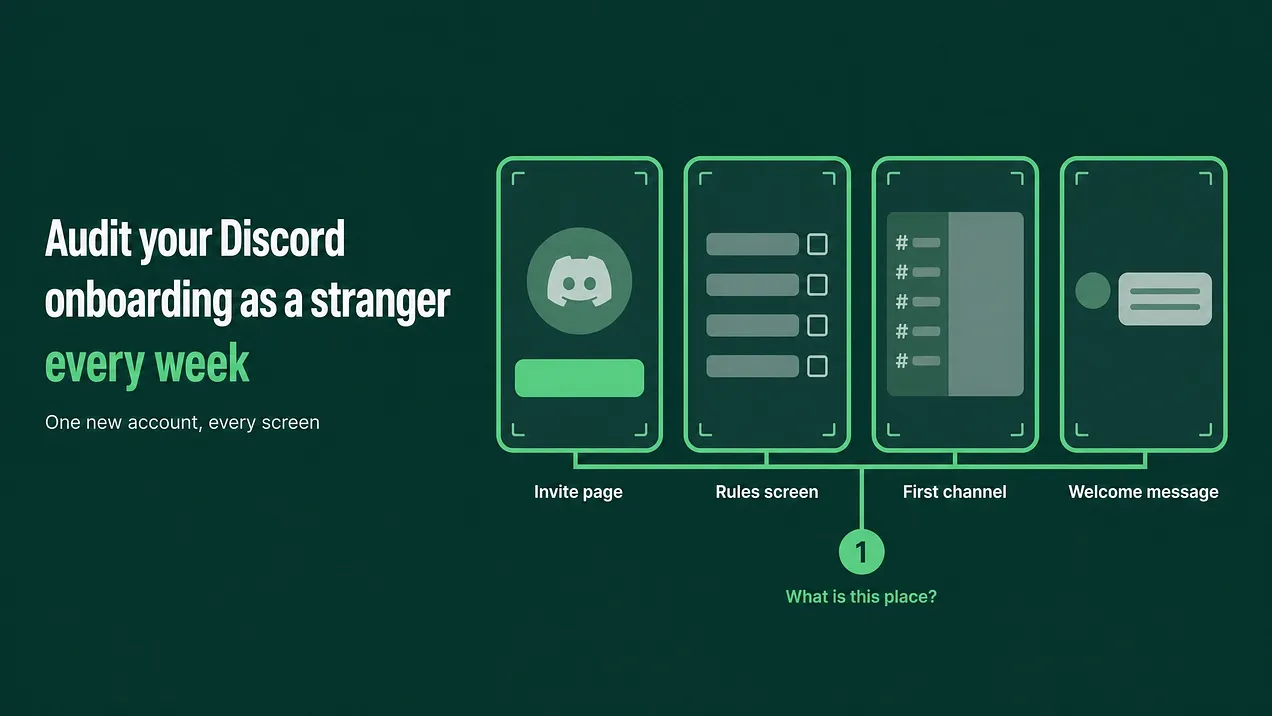
The most reliable answer to how to audit Discord onboarding is to join your own server every week from a brand new account and screenshot every screen. Ask each screenshot five questions a stranger asks, log every gap with an owner and a date, and fix the quick ones the same day.
Open a private window before you read the next section
Open a private browser window now. Go to the Discord sign up page and create an account with an email address nobody on your team has used on Discord before. Keep this article open beside it, because the steps below assume you are about to join your own server as someone who has never seen it. That is the whole method in one sentence. You join as a stranger, you take a screenshot of every screen and every click from the invite onward, and you ask the same five questions of each screenshot. Any question a screen fails to answer goes into a gap log, a short table with an owner and a fix-by date. The easy gaps get fixed that day. You repeat it every week, and again after any change to the server. It takes about 20 minutes once you have done it twice. The first run takes longer because you will find more.
The people who built a server lose the ability to see it the way a stranger does. The walk exists to give that ability back for twenty minutes a week.
Why the builders cannot see it
When you built the server, you learned where everything is. You know that #start-here is the channel that matters, that the moderators wear a particular role, and that the real conversation happens in two channels near the bottom. That knowledge never switches off. When you look at your own server, your memory fills in every missing label before you notice it is missing.
A new member has none of that memory. They see a list of channel names, a wall of rules and maybe a bot message. If nothing tells them what the place is for, they do not ask. They close the tab.
Discord gives admins tools that look like they solve this. The onboarding setup has a Preview button, and server settings let you view the server as a particular role. Both are useful for checking permissions. Neither one shows you the invite page, the verification wait, the direct messages a bot sends a new account, or how it feels to get no reply to a first message. Only a real join from a real new account shows all of it.
Step 1: Set up a stranger's account
Do this. Create a fresh Discord account for the audit. Give it a neutral name and no avatar, because that is what most new members look like. If your server's verification level requires a verified email or phone number, verify the new account the same way a stranger would.
Do not reuse an old alt account. An alt that has been in the server before may still carry roles, especially if a bot restores roles on rejoin. It has already dismissed tips and seen the onboarding. It may have old direct messages. Every one of those differences hides something a real stranger would hit.
Capture this. Start a folder for this week's walk and name each screenshot in order, for example W40_01_invite.png, W40_02_rules.png. The number in the file name keeps the sequence intact when you share it later.
Ask this. Before you click the invite, write one line describing who this stranger is. A developer who found you through a tutorial. A customer who clicked a link in a receipt email. The walk is sharper when you know who is walking.
Alternate between desktop and phone week to week. Many members arrive on a phone, and the channel list and onboarding screens look different there.
Step 2: Walk the join path and capture every screen
Do this. Open the same invite link your members actually use, from the same place they find it. Then click through exactly as a new member would. Do not skip a screen because you already know what it says. Capture this. One screenshot per screen and one per click. This is the minimum set:
| Screen | What to look at |
|---|---|
| Invite page | Does the server name and icon tell a stranger what they are joining? |
| Rules or verification screening | How many rules, how long they are, and whether agreeing feels like a hurdle |
| Onboarding questions | Whether each question makes sense to someone who has never used the product |
| Channels & Roles, the Customize and Browse Channels views | Whether the channel and role choices are described in plain words |
| The first channel shown | Whether it says what the community is for within the first screen of text |
| The welcome message | Whether it names one first action and who the team is |
| The full channel list | How many channels a newcomer sees, and whether the names mean anything to them |
| Direct messages received | What bots or people sent, and whether any of it looks like a scam |
| The first reply | Post a simple question as the new account and record who answers and how long it takes |
Ask this. At each screen, before you move on, write down the first thought a stranger would have. Keep it rough. "Where do I click?" is a finding. The last row matters more than it looks. Post a real question from the new account, something a genuine newcomer would ask, and wait. Screenshot the reply when it arrives, with its timestamp. If nobody replies within the day, that is the most important line in your log.
Step 3: Run the five question grid
Do this. Lay the screenshots out in order, one row per screen. Across the top, write the five questions a stranger asks:
The five stranger questions
- What is this place?
- Who runs it?
- What do I do first?
- Is anyone like me getting value here?
- Where do I get help?
Capture this. For each screen, mark each question as answered, missing, or not relevant to that screen. Not every screen has to answer every question. The invite page does not need to explain where to get help. Ask this. Two rules decide whether the walk passes. By the time the stranger reaches the first channel, questions 1 and 3 must be answered. By the end of the walk, all five must be answered somewhere the stranger actually saw. Question 4 is the one teams skip. A stranger wants proof that people like them get something from being here, and the proof has to be visible without scrolling back months. A channel where members post their wins counts, and so does a pinned thread of real answers. A line in the welcome message saying the community is great does not. Question 2 fails more quietly. In most servers a newcomer cannot tell which accounts belong to the team. If the moderators and staff carry no visible role and appear nowhere in the welcome message, the stranger cannot tell a staff answer from a random opinion, and cannot tell a real staff message from an impersonator.
Step 4: Write the gap log
Do this. Every missing mark becomes one row in the gap log. Keep the log in one shared place and keep the columns fixed so weeks can be compared.
| Screen | Question failed | Fix | Owner | Fix-by date |
|---|---|---|---|---|
| First channel | 1. What is this place? | Add two plain sentences at the top saying who the community is for and what happens here | Community lead | Today |
| Welcome message | 2. Who runs it? | Name the team and link their role, with one line on what each person handles | Community lead | Today |
| Channel list | 3. What do I do first? | Hide six advanced channels behind an onboarding answer so the first view is short | Moderation lead | Friday |
| Full walk | 4. Is anyone like me getting value? | Open a wins channel and seed it with real member posts, with their permission | Community lead | Next walk |
Capture this. Attach the screenshot that shows the gap to its row. A row with a picture gets fixed. A row that says "welcome is unclear" gets argued about. Ask this. Is the fix written as a specific change? "Improve the welcome" is a wish. "Add one sentence naming the first channel to post in" is a fix.
Step 5: Triage into today or scheduled
Do this. Sort every row into two piles with one rule. If the fix takes under 15 minutes and needs nobody else's approval, it gets done today. Everything else gets a named owner and a real date. Typical fix-today items are edits: a channel description, a pinned message, a sentence in the welcome message, a renamed channel, a permission toggle, a bot message that says the wrong thing. Typical scheduled items need building or agreement: a new channel structure, a new bot flow, content that another team has to write. Capture this. Mark each row as done or scheduled, and screenshot the fixed version next to the original. Ask this. Is anything scheduled that could honestly be done today? Small fixes left for weeks are the ones that quietly cost the most members, because every new join meets them until someone acts.
Step 6: Get a second pair of eyes
Do this. You will still miss things, because you built it. Show the screenshots, in order, to a teammate who had no hand in the setup. Someone from sales or support is ideal. Ask them to say out loud what they think each screen means and what they would click next. Do not explain anything while they talk. Write down every pause. If nobody is free, review the screenshots with an AI tool instead. Paste them in order with a prompt like this:
These screenshots show, in order, every screen a brand new member sees after joining our Discord server, from the invite page to the first reply they received.

Act as a stranger who has never heard of this community. For each screenshot, tell me:
1. What you think this place is
2. Who you think runs it
3. What you think you should do first
4. Whether you see any sign that people like you get value here
5. Where you would go for help

Then list every point where you would feel stuck or unsure whether a message is real. Be blunt. Do not suggest fixes yet.
Capture this. Add anything new to the gap log, marked with who or what found it. Ask this. Which findings did the second reviewer catch that you missed? Those point at your blind spots, and they are worth checking first next week.
Step 7: Walk it again after every change
Do this. After you ship a fix, walk the affected part again from a fresh join. Leave with the audit account and rejoin, or make another new account if a bot restores roles. Fixes break things upstream and downstream. A new onboarding question can hide the channel your welcome message points to. A renamed channel breaks every link to its old name. A tightened permission can stop newcomers seeing the one channel where they are meant to post. Capture this. The after screenshot, next to the before screenshot, in the same row of the log. Ask this. Does the fixed screen now answer the question it failed, and did every screen after it still pass?
Step 8: Set the cadence
Do this. Put a recurring 20 minute block in the calendar for the same slot every week. Add a walk after any server change: a new channel, a role change, a bot added or updated, a permission change, an edited onboarding question, or a Discord feature update that changes the join screens. Rotate who walks. A different person each month brings a different blind spot, and a moderator who walks the join path is better at helping the people coming through it. Capture this. Keep each week's folder. Over a few months the folders become a record of how the front door changed and which fixes held. Ask this. Did the same question fail two weeks running? A repeat failure means the fix did not work, and it moves to the top of next week's log.
What the walk usually finds
Four gaps show up in almost every first walk, and they are worth checking before anything else. The first channel fails to say what the community is for. It opens with rules or a list of bot commands, and a stranger has to guess the purpose. New members cannot tell who the team is. Staff look like everyone else, so newcomers cannot tell official answers from opinions or spot fake staff accounts. Nobody tells a newcomer what to do first. There are twenty channels and no single first action, so the newcomer reads for a minute and leaves. There is no visible proof that other members get value. Wins, answered questions and member stories exist somewhere in the history, but nothing on the path shows them. Each one is fixable in an afternoon once somebody has seen it.
Where this sits
The weekly walk audits one part of a larger system: onboarding and the first 48 hours. That system covers the entry flow, role routing that sends each newcomer to the channels that fit them, the welcome sequence, the first human reply, the follow-up during week one, and the measurement that tells you whether new members stay. The walk shows you where each of those layers is failing. Building them properly is its own job, and a walk that keeps finding the same gaps is usually a sign that one of those layers was never built. A server looks finished to the people who built it and unfinished to everyone arriving for the first time. The only way to see it the second way is to arrive yourself, as often as the server changes. More at danieljeong.org.