Does Your Discord Resource Post Give Members a Next Step?
Long guides feel thorough yet change nothing members do, so rebuild each resource post around one problem and one action members take inside the server.

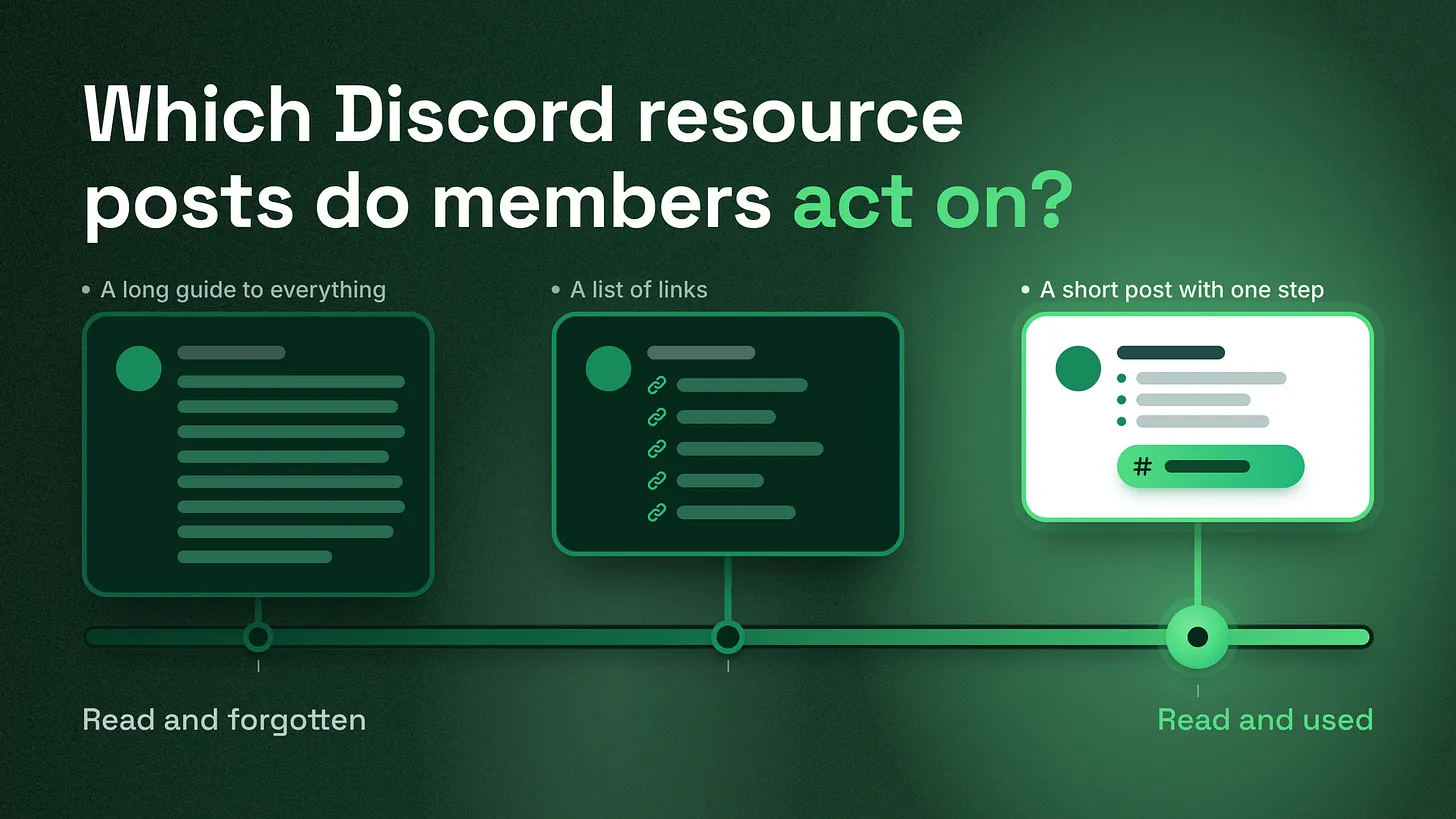
Resource posts written as long "everything you need to know" guides make members feel informed and change nothing. Knowing how to write Discord resource posts members can act on comes down to one shape: one problem, a few short steps, and one clickable next step inside the server, such as a channel, a slash command or a ticket button. Fix the endings of your existing posts first.
A useful resource post ends with something to click
In 2008, Nielsen Norman Group estimated that when a web page gains words, readers get through only about 18% of the added text. So a useful Discord resource post stays short: it solves one problem and ends with one thing the member can do next, inside the server, such as a channel to post in, a slash command to run, or a button that opens a ticket or a form. A pinned guide or FAQ entry that ends any other way is a reading exercise. Members finish it feeling informed and carry on exactly as before. The measure is simple. How many problems does a member solve per minute they spend with the post? Length does not count, and neither does how long someone stays on it. A three-line post that takes a member from "where do I share this?" to a message in the right channel is worth more than a long guide they scrolled to the bottom of and closed.
The post many servers have
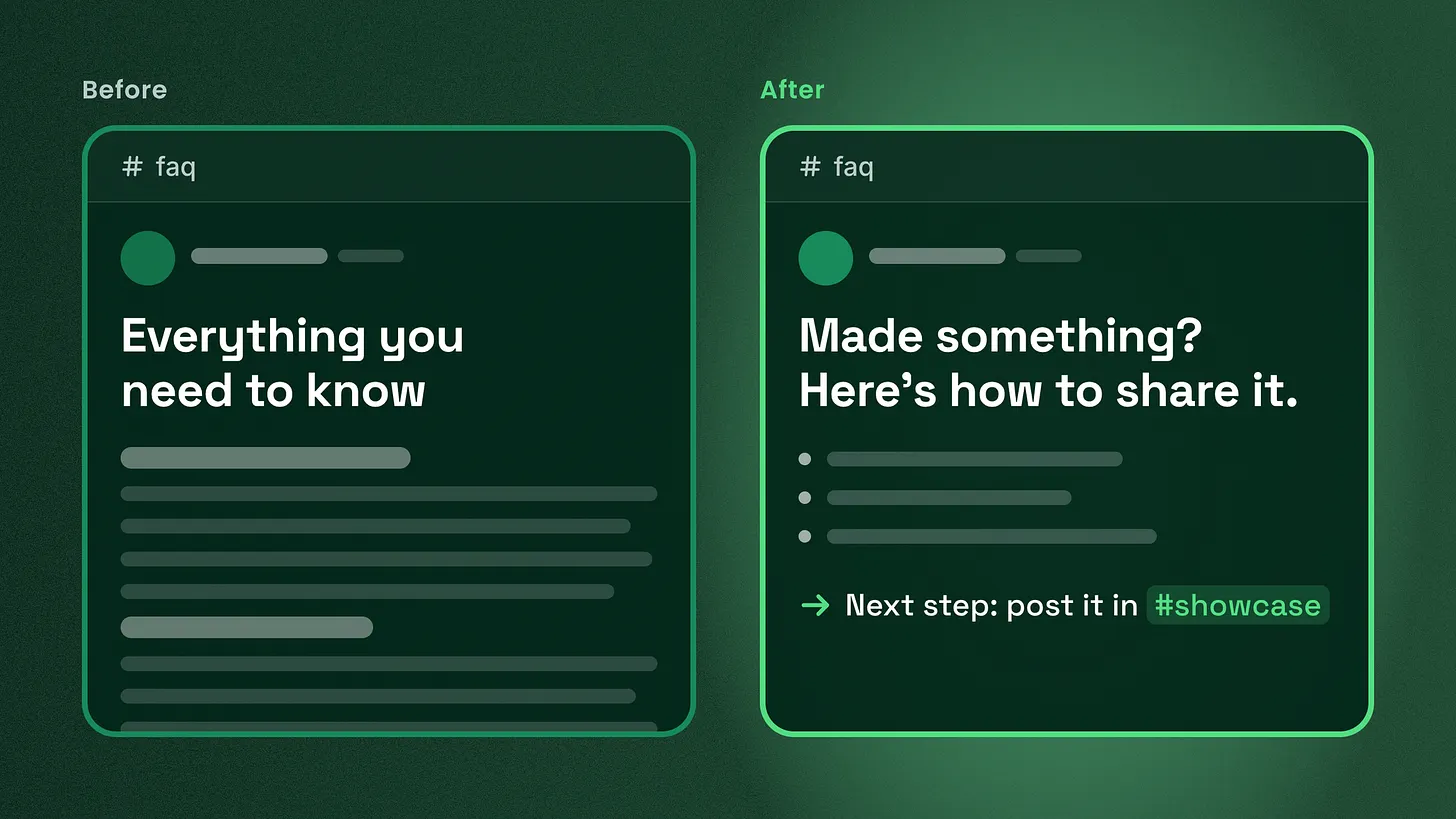
Open a company Discord and there is a good chance you will find it. A channel called #resources or #start-here or #faq, and at the top of it one very long message. It has a title like "Everything you need to know", a dozen bold headings, links to the docs, a summary of the server rules, a paragraph about the company's mission, and somewhere in the middle, the answer to the question a new member actually came in with.
 I understand why teams write it. It feels complete. It shows the team knows the product. It gives moderators one link to paste whenever anyone asks anything. And it can be written once, in an afternoon, and then left alone.
Look at that list again and you will notice every reason on it serves the team. What the member does after reading never comes up.
What the long post actually produces
The list below is what members tend to do with these posts. I have seen all four in a few servers.
- They skim. Nielsen Norman Group's research on web reading (Jakob Nielsen, 2008) estimated that people read about 20% of the text on an average web page. A long Discord message gets the same treatment. The member reads the headings, catches a phrase or two, and stops.
- They feel informed. This is the costly part. Skimming a long, confident post produces the feeling of having learned something. The member closes the channel believing they understand, without having done anything.
- They ask anyway. A little later the same member posts in
#general: "where do I share my build?" The answer was in the guide, under the seventh heading. A moderator pastes the guide link again, and the loop repeats. - The post ages badly. A long post touches many features, so it goes out of date in many places at once. Nobody wants to edit a message that big, so it stays wrong.
Why this lands on the marketing team
If you run marketing or growth, the guides and resource posts in your server are where launch work either pays off or quietly stalls. You announce a feature, link to a guide, and hope people try it. Whether they try it depends heavily on what the guide asks them to do at the end.
A guide that ends with "let us know if you have any questions" asks for nothing. A guide that ends with "Try it now with /generate, then post your first result in #showcase" asks for two specific things, both inside the server, both clickable. The second ending creates activity you can actually see: posts in a showcase channel, replies, feedback threads. The first ending creates nothing you can see at all.
Rebuild each post around one problem and one next step
The fix is to break the long post apart and rebuild each piece around a single problem. Every post follows the same four-part shape.
| Part | What it does | How to write it |
|---|---|---|
| Title | Names the problem in the member's own words | Write it the way they would ask it in chat |
| Answer | Solves that problem and nothing else | A few numbered steps, no history or mission |
| Next step | Gives one action to take inside the server | Must be clickable: a channel, a command or a button |
| Fallback | Says where to go if it did not work | One line, one place |
The title is the problem, phrased the way a member would phrase it. "Made something? Here's how to share it" beats "Community Showcase Guidelines", because a member scanning a list of posts recognises their own question at once. Read what people actually type in #general and in your support channel. Those sentences are your titles.
The answer solves that one problem. If you catch yourself writing "also" or "while you're here", you have started a second post. Cut it and give it a home of its own.
The next step is one action, and it is clickable. This is the part many resource posts are missing, and Discord gives you good tools for it. Discord's message formatting reference (checked October 2026) lists <#CHANNEL_ID> for a clickable channel mention and </NAME:COMMAND_ID> for a clickable slash command mention. The same reference lists <id:browse>, which links to the Browse Channels tab, and <id:customize>, which links to the Channels & Roles tab. A ticket or form button from your support bot works too. What does not count: "check out the docs", "feel free to explore", or a list of six links.
The fallback is one line. "Still stuck? Open a ticket" with the button beside it, or a mention of the help channel. One place, so the member never has to choose.
A rewrite, start to finish
A typical section from a long guide reads like this.
SHOWCASE
Our community loves seeing what you create! The showcase is a space where members share their projects, get feedback, and inspire one another. Please make sure your posts follow our community guidelines and remember to be respectful when giving feedback. You can find the showcase channel in the Community category. The best projects get featured in the newsletter, so keep creating!
Read it as a new member would. You learn that a showcase exists, that the team is enthusiastic about it, and that it lives somewhere in a category. You still do not know how to post, what a good post looks like, or what to click. The same content rebuilt as one post looks like this.
Made something? Here's how to share it.

1. Take a screenshot or a short clip of what you made.
2. Write one line on what you were trying to do.
3. Add one question you want feedback on.

Next step: post it in <#SHOWCASE_CHANNEL_ID>
Not sure it's ready? Ask in <#FEEDBACK_CHANNEL_ID> first.
It is shorter. It names the problem the way a member would. It gives three steps a person can follow without thinking. And it ends in a channel link they can click from inside the post. The enthusiasm and the newsletter line are gone, and nobody will miss them.
Choosing the right next step
Pick the next step by asking what the member should do the moment they finish reading. This table covers the common cases.
| The member needs to... | Next step | How to make it clickable |
|---|---|---|
| Share something | Post in one specific channel | Channel mention, `` |
| Use a feature | Run a command | Slash command mention, `` |
| Get personal help | Open a ticket or a form | A button from your ticket bot |
| Pick their interests | Choose channels or roles | or |
| Learn one more thing first | Read the next post in the series | A message link to that one post |
"Read more" sits at the bottom on purpose, and even there it points to one specific post, never a docs homepage. If the only possible next step is more reading, the member is still researching. That can be fine partway through a series. It should never be where a series ends.
Where the short posts should live
Once one long guide becomes many short posts, they need a home that keeps them findable. Two set-ups work well.
A forum channel, one post per problem. Each problem becomes its own forum post, titled in the member's words. Tags group them by topic. Discord's Forum Channels FAQ notes that forum channels support one pinned post, so use that single slot for an index that lists every post as a link, grouped by the problem it solves.
A read-only text channel with an index at the top. Each post is its own message. The first message is a short index of links to the others, made with Copy Message Link. This suits a smaller set of resources that rarely changes.
Either way, the long "everything" message goes. If you are attached to it, turn it into the index: one line per problem, each line a link to the post that solves it.
A one-sitting review routine for existing posts
Many teams do not need to write new resources. They need to fix the ones they already have. The routine fits into one sitting.
- List every resource post. Pinned messages in each channel, posts in your resource and FAQ channels, and your welcome and start-here messages. Put them in a simple list with a link to each.
- Ask three questions of each one. What single problem does it solve? What does it ask the member to do at the end? Does every link and command in it still work?
- Sort each post into one of four piles.
| Pile | When it applies | What you do |
|---|---|---|
| Keep | One problem, a clickable next step, links work | Leave it and note the date you checked |
| Fix the ending | One problem, but no clickable next step | Add the next step and the fallback line |
| Split | Several problems in one post | One post per problem, then add them to the index |
| Remove | Out of date, or answers a question nobody asks | Unpin or archive it |
- Fix the endings first. Adding one next-step line is the quickest change with the clearest effect, so finish every "fix the ending" post before you split anything.
- Add a checked date. End each post with a small "Last checked" line using a Discord timestamp such as
<t:UNIX_TIME:d>, which shows the date in each reader's own locale. Members trust a post they can see someone looked at recently, and your team can spot the stale ones at a glance. - Watch the questions that keep coming in. Over the following weeks, whenever a moderator answers by linking a resource post and the member comes back with the same question, flag that post. It failed. Rewrite its answer or its next step. Step 6 is the real test, and it needs no analytics tool. A post that works stops its question from coming back. A post that fails gets linked again and again. The clearest sign a resource post works is quiet about its topic in your help channels, and visible activity in the channel it points to.
What else your support system has to cover
Resource posts are one part of what I think of as a community's documentation and support system. That system also covers how a new member's first questions get answered during onboarding, how support requests get routed to the right person, how the FAQ keeps up as the product changes, and how repeated questions feed back into what gets written next. Fixing your resource posts is the piece you can finish this week with nothing but edit access, and it makes the gaps in the rest of that system easier to see. Start with your pinned posts: find the ones that end without a clickable next step, and add one line to each that tells the member exactly where to go.
Rewriting your resource posts fixes the part of your documentation and support that members actually read. More of my articles on running a Discord community are at danieljeong.org/articles. If you would like to know which part of your own server to work on next, my free community analysis at danieljeong.org/free-analysis is the place to start: I'll tell you exactly what's working, what isn't, and what to fix first. Writing the playbooks behind posts like these, or running the server day to day, is something I take on for teams at communitymanagementpro.com.
*Posts earn their place when a member does something because of them. A guide that ends in one clickable step gives every reader that chance. *danieljeong.org