Discord Community Manager Interview Questions and the Live Test That Proves Platform Skill
Six questions with what strong and weak answers sound like, then a 45 minute build in an empty test server, so you learn whether a candidate can configure Discord before they are in charge of your server.

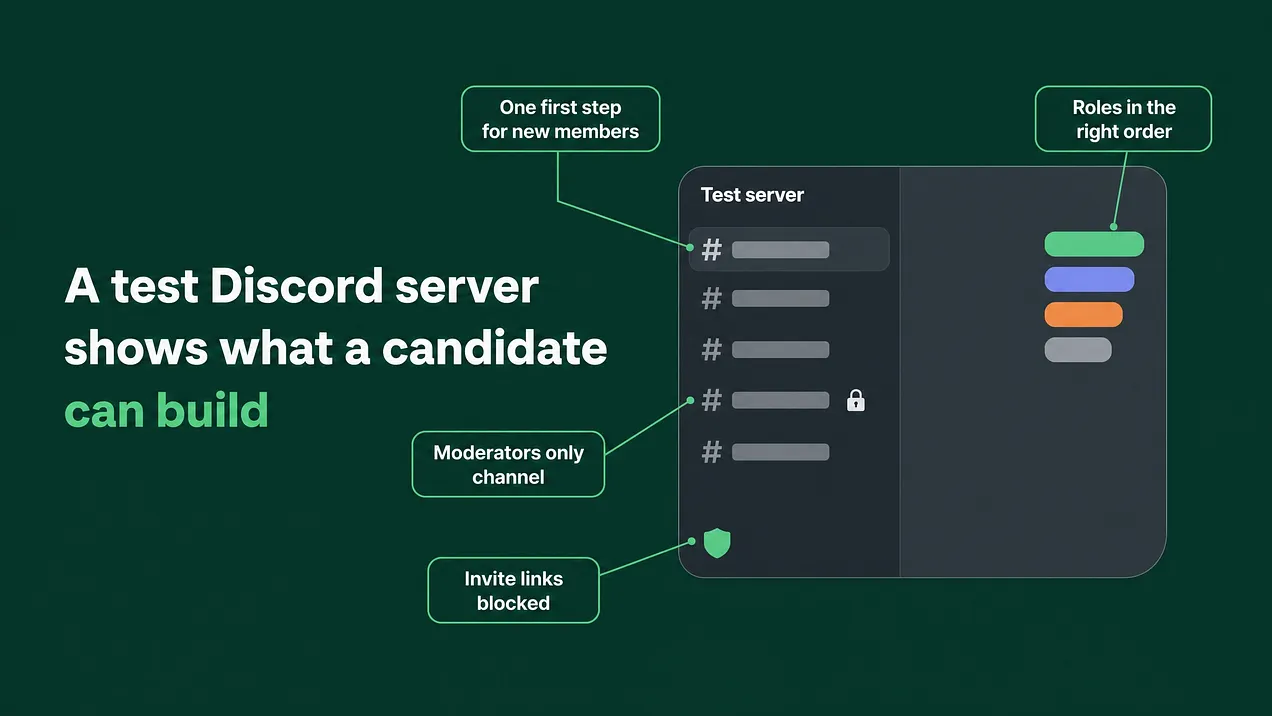
Good Discord community manager interview questions make a candidate explain the exact settings they would use for roles, onboarding, AutoMod, bots, escalation and first month reporting. A 45 minute build in an empty test server then shows whether they can do it. Score both, and when they disagree, trust the build.
What to ask, and what to watch for
A Discord community manager does two kinds of work. One is people work: tone, judgment, patience with an angry member at midnight. The other is platform work: roles, permissions, the new member flow, AutoMod, bots, and the route a problem takes out of Discord to your team. Hiring processes usually test the first kind and assume the second. The questions below test the second kind. There are six. Each one comes with why it matters, what a strong answer sounds like and what a weak one sounds like, and each is scored 0, 1 or 2. After them comes a 45 minute live task inside an empty Discord server that you create for the purpose and delete afterwards. The questions show whether a candidate understands the platform. The task shows whether that understanding holds up when they have to click through the settings themselves with you watching. Write down what you hear before you score it. Candidates who have only ever used a server as a member tend to answer in intentions, such as making it welcoming or keeping it safe. Candidates who have configured one answer in settings.
Listen for the names of real settings. Someone who has built a Discord server will mention role order, channel overrides and AutoMod exemptions without being prompted, because those are the things that went wrong for them the first time.
The scoring scale
Use one scale for every question and every part of the live task, so two candidates can be compared line by line.
| Score | What earned it |
|---|---|
| 0 | Talks about goals or feelings and names no setting, or describes something that would cause harm, such as giving every moderator full admin |
| 1 | Knows the right area of the platform and the general idea, but misses the order of steps or cannot say how they would check the result |
| 2 | Names the specific settings, puts them in a sensible order, and explains how they would test that it works |
Question 1: permissions and role order
Ask: "Set up our permissions so moderators can delete messages and time members out, but cannot change server settings or read the finance channel. Walk me through it."
Why it matters. Permissions are where the quiet damage happens. A moderator with too much power can delete a channel or strip roles by accident. A moderator with too little cannot act during a raid.
Strong answer. Starts by trimming what the default @everyone role can do, then builds a Moderator role with Manage Messages and Timeout Members and nothing that touches server settings. Explains that role order matters on Discord: a role can only manage roles listed below it, so Moderator sits under Admin and above Member, and any bot that hands out roles needs its own role placed above the roles it gives. Sets private channels at the category level with an override that denies View Channel to @everyone and allows it for the roles that need it. Says they would confirm the result with the View Server As Role feature before trusting it.
Weak answer. "I'd give the mods admin so they can handle anything." The Administrator permission ignores every channel restriction, so that one decision gives every moderator the finance channel and the power to delete any channel in the server.
Question 2: the first 48 hours for a new member
Ask: "Someone joins our server for the first time. What do they see in the first minute, and what should they have done by the end of day two?" Why it matters. New members decide early whether the server is worth a second visit. When the first screen is a long list of channels with no obvious starting point, people leave quietly and nobody hears why. Strong answer. Talks about Discord's built in Community Onboarding: a short set of questions whose answers grant roles and channels, a small group of default channels, a rules step, and one first action such as posting in introductions or asking in a help channel. Knows onboarding only exists on servers with the Community setting turned on. Keeps most channels hidden until the member has made a choice. Adds a human reply within the first day, such as a moderator answering every introduction. Weak answer. "A welcome channel with a nice message, and an intro channel." Nothing about what the member sees first, which role they get, or who notices that they arrived.
Question 3: AutoMod, raids and scams
Ask: "It is two in the morning. A wave of brand new accounts joins within a few minutes and starts posting links. What do you do in the first fifteen minutes, and what should have been set up before tonight?"
Why it matters. Raids and scam messages are the incidents that reach your members' private messages and your company's reputation. The response is mostly decided before the incident, by what was already configured.
Strong answer. Splits it into before and during. During the raid: pause invites from the server's security actions, pause direct messages between members, time out or ban the accounts, remove the messages, and post a short notice telling members to click nothing. Before the raid: AutoMod rules already running, including a custom keyword rule that blocks invite links such as discord.gg/ for anyone without the Member role, mention spam blocking, and alerts routed to a private moderator channel, plus a server verification level that stops a fresh account posting the moment it arrives. Afterwards, a short written incident note for the team.
Weak answer. Banning accounts one at a time while the raid keeps going, or "I'd add a bot for that." Bots can help. An answer that opens with a bot usually means the candidate does not know what Discord already does on its own.
Question 4: bots, and when to refuse one
Ask: "Which bots would you add to our server in your first week, and which would you refuse to add?"
Why it matters. Every bot is another account holding permissions inside your server, and bots are often given far more access than their job needs.
Strong answer. Starts from what the server needs, then checks whether Discord covers it natively: onboarding for self assigned roles, AutoMod for filtering, scheduled events, forum channels for support threads. Adds a bot only for a job the native features cannot do, gives each bot a single job, and grants only the permissions that job needs. Never gives a bot Administrator. Wants to review the bots already installed and remove any that nobody can explain.
Weak answer. A fixed list of favourite bots, recited before a single question about your server.
Question 5: escalation to the company
Ask: "A member posts in the general channel that they were charged twice and will go public if nobody fixes it today. Who do you tell, how fast, and what do you say in the channel?" Why it matters. A community manager sits between your members and your company. Billing, product bugs, security and press each need a known route out of Discord and a named owner waiting at the other end. Strong answer. Replies in the channel quickly and calmly, without discussing account details in public. Moves the conversation into a private ticket or thread, then hands it to whoever owns billing with every detail in one message. Asks you, during the interview itself, who owns billing, bugs, security and press at your company, because an escalation path cannot be built without those names. Wants a written definition of what counts as urgent. Weak answer. Deletes the message to keep the channel tidy, or promises a refund they have no authority to give.
Question 6: how they will measure the first month
Ask: "At the end of your first month, what will you show me to prove the community got better?" Why it matters. Without an agreed measure, the one month review turns into a conversation about impressions. Strong answer. Takes a baseline in week one, then reports on a short list: how many new members post within their first week, how long questions wait for a first reply, which repeated questions became written answers, and what moderation incidents happened and how each was closed. Mentions Server Insights where it is available, and their own tracking for the rest. Weak answer. Member count and message volume. Both can climb while the server gets worse.
The live task: 45 minutes in an empty server
Rehearsed answers are easy to give. A rehearsed build is much harder to fake. The task takes 45 minutes in total: 5 to read the brief, 30 to build, and 10 to walk you through what they did.
Before the session. Create a new Discord server from scratch and give it a throwaway name. Invite the candidate and give them a role with Administrator in that server only. The server is disposable, so the usual caution about that permission does not apply here. Leave the Community setting switched off, because turning it on is part of the work. Ask them to share their screen while they build, and stay quiet unless they ask something. Keep a second Discord account ready to join as a new member at the end.
The brief. Paste this into the server's first channel when the timer starts.
TEST SERVER BRIEF (30 minutes to build)

This server is empty and will be deleted afterwards. Build the following.

1. Roles in the right order: Admin, Moderator, Member, New Member. Moderators can delete messages and time members out. They cannot change server settings.

2. Two channels with limited access: a moderators only channel that regular members cannot see, and an announcements channel that members can read but not post in.

3. A new member welcome: someone who joins sees the rules, one clear first step, and receives the Member role once they complete it.

4. A scam link filter: messages containing Discord invite links are blocked for anyone without the Member role, moderators are exempt, and an alert goes to the moderators only channel.

When you finish, show me how you checked that each part works.
Onboarding has its own setup requirements before Discord will let you switch it on. A candidate who knows the platform plans for them early. One who does not discovers them with ten minutes left, which tells you just as much.
How to score the build. Use the same 0 to 2 scale on six lines.
| Part | Worth 2 points | Worth 0 points |
|---|---|---|
| Roles in the right order | Moderator sits below Admin and above Member, has no Administrator, and any bot role sits above the roles it assigns | Moderator holds Administrator, or roles are left in whatever order they were created |
| Limited access channels | Done with overrides on @everyone and the right roles; members can read announcements and cannot post | Channels left visible to everyone, or hidden by guesswork nobody can explain |
| New member welcome | Community switched on, onboarding set with a question that grants the Member role, one obvious first step | A welcome message and nothing that changes what a new member sees |
| Scam link filter | AutoMod custom keyword rule on invite links, Moderator and Member roles exempt, alerts to the moderators only channel | No filter, or a filter that also blocks the moderators |
| Checked their own work | Used View Server As Role or a second account without being asked | Declared it finished without checking anything |
| Walkthrough | Explains each decision in plain words and names one thing they would change with more time | Cannot say why a setting is the way it is |
Then join from your second account. Walk in as a brand new member and look. Can you see the moderators only channel? Can you post in announcements? Do you know what to do first? Can you paste an invite link before you have the Member role? If what you see differs from what the candidate described, score the part on what you saw. Reading the totals. Both the interview and the task are out of 12. On the task, 10 to 12 means the candidate can own the platform from day one. A score from 7 to 9 means capable, with someone senior reviewing their setup during the first month. At 6 or below, do not hand them ownership of the server, however good the conversation felt. When the interview score and the task score disagree, trust the task. Red flags during the build. Each of these on its own is worth a follow up question. Two or more together usually settle it.
- Installs a bot before opening Server Settings.
- Creates a large pile of channels to make the server look full.
- Gives
Administratorto the Moderator role "to save time". - Works in silence for thirty minutes and cannot explain what they did.
- Never checks the result from a member's point of view.
Where this sits in the bigger picture
Screening for platform skill is one stage of a larger community staffing system. The other stages are the role spec written before anyone applies, the first 30 days of ramp after the hire, ongoing evaluation of the work, the handover when someone leaves, and the escalation paths that connect the community to the rest of the company. This article covers the interview and test stage completely enough to run on your next hire without help. The other stages are separate builds, and each one fails in its own way when it is skipped. A hire made on conversation alone still gets tested. It just happens later, inside your real server, with your real members watching. Running the test first costs 45 minutes and an empty server. More at danieljeong.org.